About this app
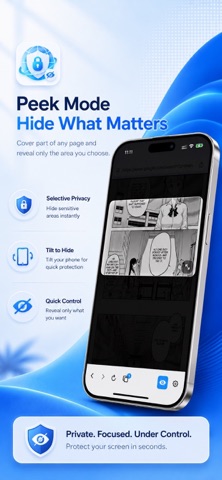
Privacy Screen Browser is a private web browser designed for real-world screen privacy. Private browsing is not only about clearing history. Sometimes you also need to protect what is visible on your screen — in public places, shared spaces, while commuting, or whenever someone is nearby. Privacy Screen Browser combines a clean web browser with privacy tools like Face ID lock, screen shield, Peek mode, Panic mode, Tilt to Hide, tabs, bookmarks, history controls, and site-specific privacy rules. PRIVATE BROWSER Browse with a clean, familiar web experience. • Search or open URLs from one address bar • Choose your preferred search engine • Use tabs, bookmarks, favorites, and history • Quickly share pages or save websites SCREEN PRIVACY SHIELD Protect what is visible on your screen. • Cover your browsing content instantly • Use Peek mode to reveal only a small movable area • Adjust shield opacity up to full coverage • Choose whether the address bar stays visible, hidden, or protected • Keep gestures working while your screen shield is active TILT TO HIDE Privacy Screen Browser can react when your iPhone is tilted. • Enable Tilt to Hide for Cover and Peek modes • Choose Low, Medium, or High sensitivity • Increase shield opacity as the device angle changes • Protect your screen quickly without searching for a button PANIC MODE Switch to a discreet privacy screen when you need an instant cover. • Choose from multiple cover styles • Hold to return with a smooth progress animation • Use Panic mode as a fast privacy layer for sensitive moments FACE ID LOCK Add an extra layer of protection before opening the app. • Lock the app with Face ID • Cover content in the app switcher • Protect the screen when the app becomes inactive • Get a warning when a screenshot is detected SITE-SPECIFIC PRIVACY RULES Create privacy rules for websites you choose. • Auto-enable Shield for selected domains • Include subdomains when needed • Override address bar privacy per site • Hide tab titles for private sites • Prevent history saving for selected sites • Clear existing history for a site BOOKMARKS, FAVORITES & HISTORY Keep useful websites close while staying in control. • Add custom favorites to the Start Page • Save bookmarks for later • View and clear browsing history • Delete all browsing data from Settings • Turn automatic history saving on or off BUILT FOR SIMPLE, PERSONAL PRIVACY Privacy Screen Browser is made for people who want a private, focused, and discreet browsing experience on iPhone. No account is required. Your browser data is stored locally on your device unless you choose to share it or visit websites that use their own services.
Latest release
What’s New
We’ve fixed bugs, improved performance, and polished the UI and user experience to make the app smoother and easier to use.
Audience growth
Ratings growth
Baseline captured. Growth appears after the crawler observes a changed rating count.
Momentum comes from crawler snapshots for the tracked storefront. “Viral growth signal” means unusually fast recent rating gains; it is an indicator, not download data.
Price tracking
Price intelligence
First snapshot captured. The trend line starts after the next crawler price observation.
- First observed Aug 11, 2026 · 1:53 AM Free
Screenshots