About this app
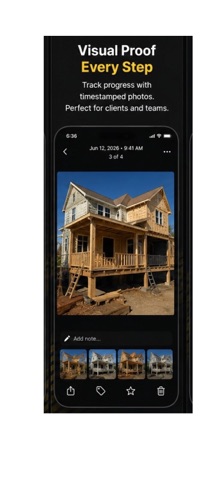
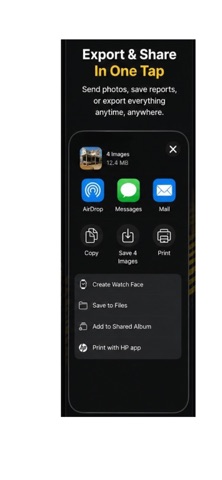
SiteShot – Jobsite Photos for Contractors Stop digging through your camera roll looking for construction photos from weeks ago. SiteShot helps contractors organize jobsite photos, project documentation, and progress images in one place. Built for general contractors, remodelers, builders, and construction teams, SiteShot makes it easy to capture, organize, search, and export project photos by client, address, and date. KEEP EVERY PROJECT ORGANIZED Every job gets its own organized photo gallery with a cover image, client name, job address, and photo history. Quickly search construction projects by project name, client, or address to find the exact jobsite photos you need. DOCUMENT CONSTRUCTION PROGRESS Capture photos directly in the app or import multiple project images at once. Automatically organize jobsite documentation with dates, locations, and notes so you always know what work was completed, when, and where. BUILT FOR CONTRACTORS • Organize construction and jobsite photos • Track project progress with visual documentation • Create searchable project photo logs • Store before-and-after construction images • Add notes, dates, and locations to photos • Export project documentation in one tap • Keep project records organized by client and address EXPORT PROJECT DOCUMENTATION FAST Share complete project photo records with clients, contractors, insurance adjusters, or your team using AirDrop, email, Files, or cloud storage. BUILT FOR THE JOBSITE Designed for general contractors and construction professionals, SiteShot is simple, fast, readable outdoors, and built to help you keep professional construction records for every project. Download SiteShot and start organizing your construction photos, project progress, and jobsite documentation today. https://www.apple.com/legal/internet-services/itunes/dev/stdeula/
Latest release
What’s New
A cleaner, faster way to get reports out the door. • New "Export" button on every project — PDF reports, email delivery, and media export are now front and center • Before / After tool is now right on the project screen — pair photos in two taps and see your pair count at a glance • Fixed: emailed reports now always include the PDF attachment • Fixed: A–Z sorting now correctly sorts by project name • New Go Pro banner on the home screen with a streamlined upgrade experience • Refreshed upgrade screen with clearer wording
Audience growth
Ratings growth
Baseline captured. Growth appears after the crawler observes a changed rating count.
Momentum comes from crawler snapshots for the tracked storefront. “Viral growth signal” means unusually fast recent rating gains; it is an indicator, not download data.
Price tracking
Price intelligence
First snapshot captured. The trend line starts after the next crawler price observation.
- First observed Aug 20, 2026 · 10:56 PM Free
Screenshots