About this app
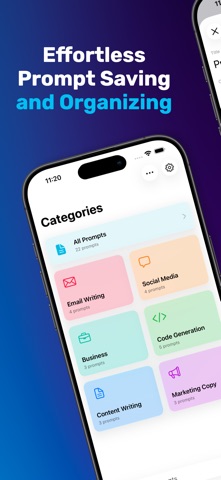
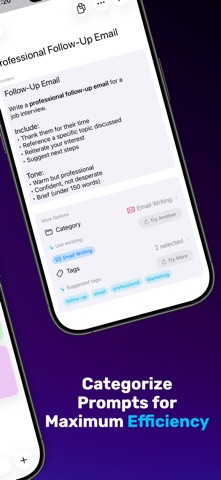
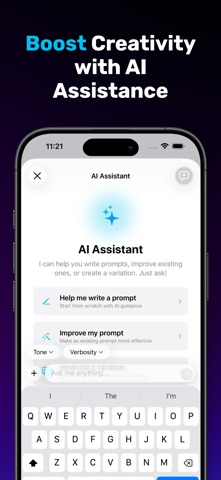
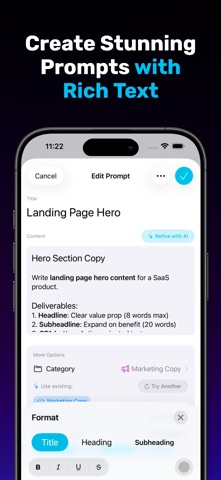
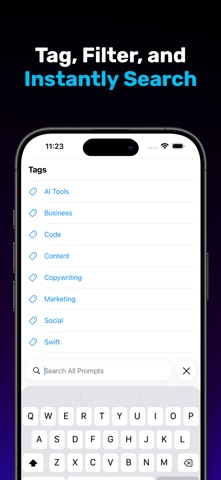
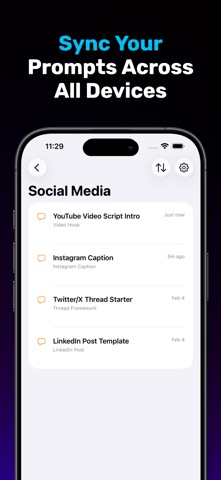
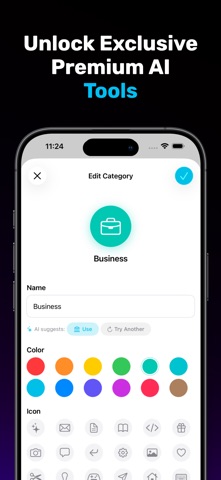
Prompting Deck helps you save, organize, and reuse your best AI prompts—so you can get to great results faster. ORGANIZE WITH CATEGORIES Create categories with custom colors and icons. Keep prompts grouped by workflow—writing, coding, marketing, brainstorming, and more. TAG, FILTER, AND SEARCH Add tags for flexible organization, then filter and search to find the right prompt in seconds. RICH TEXT PROMPTS Write prompts with bold, italics, underline, lists, and more. Copy as plain text or Markdown for easy pasting anywhere. AI ASSISTANT (APPLE INTELLIGENCE) Create new prompts faster and refine existing ones with an AI Assistant powered by Apple Intelligence. AI features require a device that supports Apple Intelligence. PREMIUM AI FEATURES Unlock additional AI tools with a premium subscription: • Refine Prompt — improve any prompt with one tap • Smart Category Suggestions — AI recommends the best category for new prompts • Smart Tag Suggestions — AI suggests relevant tags based on prompt content • Category Icon Suggestions — AI picks the perfect icon for your categories SYNC ACROSS iPHONE, iPAD, AND MAC Your prompt library stays up to date with iCloud, so your prompts are always available on every device. DESIGNED FOR APPLE PLATFORMS A clean, native experience built for iOS 26, iPadOS 26, and macOS 26—complete with dark mode and keyboard shortcuts. KEY FEATURES • Unlimited categories with custom colors and SF Symbols • Rich text editor with formatting toolbar • Tags for fast filtering • Full-text search across your library • iCloud sync across devices • Copy as plain text or Markdown • Dark mode • Keyboard shortcuts on Mac and iPad Perfect for writers, developers, marketers, and anyone who uses AI tools regularly. Terms of Use (EULA): https://www.apple.com/legal/internet-services/itunes/dev/stdeula/ Privacy Policy: https://www.promptingdeck.ai/?privacy
Latest release
What’s New
• A fresh new app icon that looks great in both light and dark mode. • The AI Assistant is smoother and more reliable. It keeps up with responses as they stream in, knows when a long conversation needs a fresh start, and handles slower devices better. Also, the quick suggestions fade away while you're typing so you don't tap them by accident. • Plus a round of bug fixes and accessibility polish throughout.
Audience growth
Ratings growth
Baseline captured. Growth appears after the crawler observes a changed rating count.
Momentum comes from crawler snapshots for the tracked storefront. “Viral growth signal” means unusually fast recent rating gains; it is an indicator, not download data.
Price tracking
Price intelligence
First snapshot captured. The trend line starts after the next crawler price observation.
- First observed Aug 8, 2026 · 10:40 PM Free
Screenshots