About this app
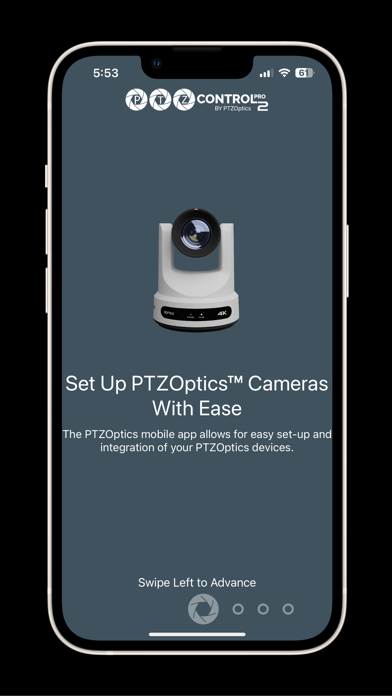
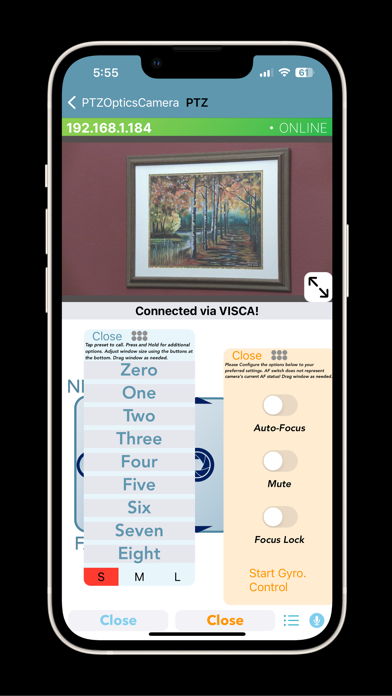
PTZControl Pro 2 is a PTZ camera control application available for iOS devices. This app features easy PTZOptics camera setup with powerful features allowing you to wirelessly control your camera with ease. Top Features: Set up PTZOptics Cameras With Ease The PTZOptics mobile app allows for easy setup and integration of your PTZOptics cameras. Stream your camera to anywhere! No need to use fancy encoding software and hardware. You can set up your PTZOptics camera to stream directly to any RTMP server. Automatically discover your cameras PTZControl Pro 2 can quickly scan your network for PTZOptics devices and discover them. Pan, Tilt, Zoom, Focus and View! Remotely control the PTZF functionality of your PTZOptics cameras, and view the RTSP/MJPEG video feed at the same time, right from this app. Color correction tools Quickly adjust brightness, contrast or sharpness of your camera right from your phone with a live video preview. Free Updates This is the latest version of PTZControl Pro. Enjoy free updates for the life of this application. Camera Manual Access Gain instant access to your camera’s manual directly through the app. Voice Control Use your voice to control PTZOptics cameras. Helper app required, see more below. Features Continued - Online/offline indicators on the application's home page for each camera - Variable PTZ speed control offers more dynamic camera control versus constant speed control - PTZ Control screen has an immersive full screen experience when using it in landscape mode - Floating Presets Window - Tilt Control Mode which when turned on allows the user to control PT functionality by tilting their device - Support for Keyboard Control - If a physical keyboard is attached to the user's device (such as an Apple Magic/Smart Keyboard Folio or any Bluetooth keyboard the user has paired to the device), the user can use the arrow keys to control PT and use the + and - key to control Zoom. - Supports Voice-activated presets (requires helper app) which allows the user to summon a preset simply by saying its name - There is an Image, Exposure, Color Section - There is an OSD Menu section that allows users to control OSD right from the app - There is a Config section that displays all of the Cameras configuration preferences and allows the user to modify IP address settings - There is a Stream to RTMP section that allows the user to encode their camera's RTSP stream to a specified RTMP URL. - There is a section that allows the user to view the Camera's manual as well as its tutorial video from the PTZOptics channel. - The app features a "Volunteer Mode" that, when activated, disables users from deleting, editing, or adding cameras until it is deactivated. This is intended for users that want to pass their device to volunteers/employees but don't want them to modify settings. - Support for Sony and Panasonic PTZ cameras (PTZ Only).
Latest release
What’s New
- Fix Auto Tracking Button in OSD menu - Fix Automation toggle not showing correct status in PTZ control - Fix HTTP Authentication breaking during longer app usage sessions - Fix Config section not saving settings on newer firmware - Add additional configuration options within Config section (Subnet mask, gateway, DNS) - Network scanning bug fixes
Audience growth
Ratings growth
Baseline captured. Growth appears after the crawler observes a changed rating count.
Momentum comes from crawler snapshots for the tracked storefront. “Viral growth signal” means unusually fast recent rating gains; it is an indicator, not download data.
Price tracking
Price intelligence
First snapshot captured. The trend line starts after the next crawler price observation.
- First observed Aug 20, 2026 · 7:30 AM Free
Screenshots