About this app
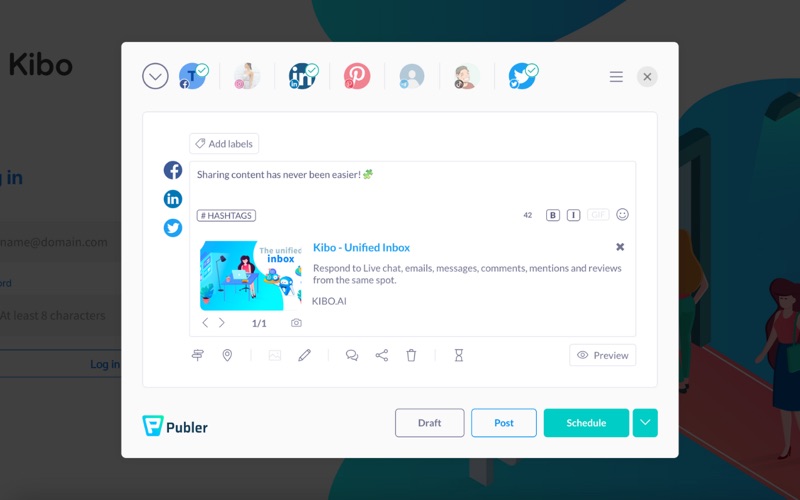
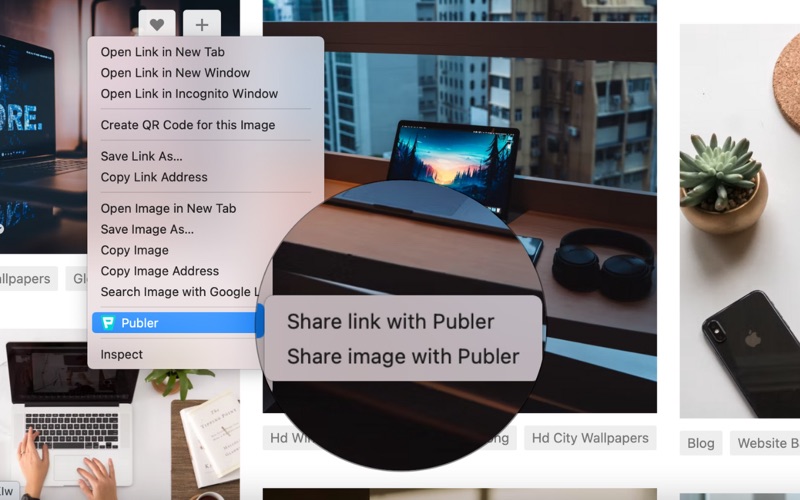
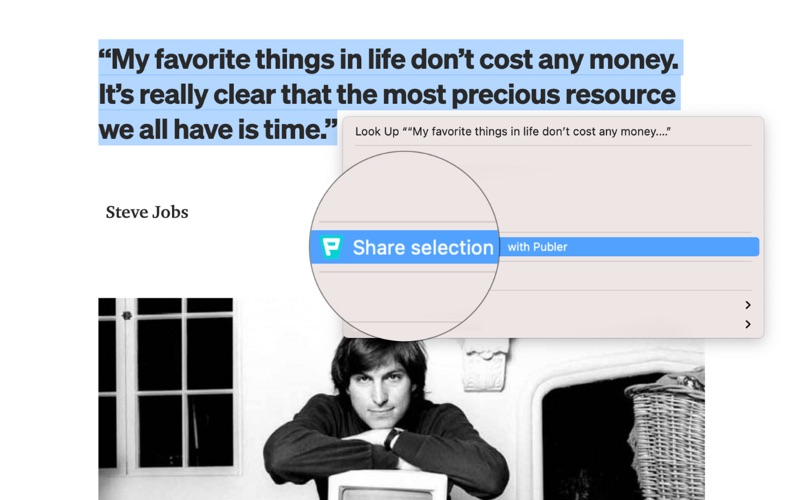
The Publer Safari extension allows you to create & schedule social media posts without having to open Publer on a new tab. By installing this extension, you will be able to share with your network the article you're reading, a cute picture you find on the internet, or a quote you think it's worth sharing simply by right-clicking on them. To share a webpage or a link, simply right-click on it and select "Share page with Publer". To share a quote or text, simply select it, right-click on it and select "Share selection with Publer". To share an image, simply right-click on the image and select "Share image with Publer". To make it easier for you: - A "share" button will appear below every image that you see on the web - The current webpage you're on will be automatically attached when activating the extension Both these options can be disabled at any time by visiting the extension's settings page.
Latest release
What’s New
- Updated the Safari extension to work under our new .com domain - Updated our social account logos and links
Audience growth
Ratings growth
Baseline captured. Growth appears after the crawler observes a changed rating count.
Momentum comes from crawler snapshots for the tracked storefront. “Viral growth signal” means unusually fast recent rating gains; it is an indicator, not download data.
Price tracking
Price intelligence
First snapshot captured. The trend line starts after the next crawler price observation.
- First observed Aug 20, 2026 · 3:59 AM Free
Screenshots