About this app
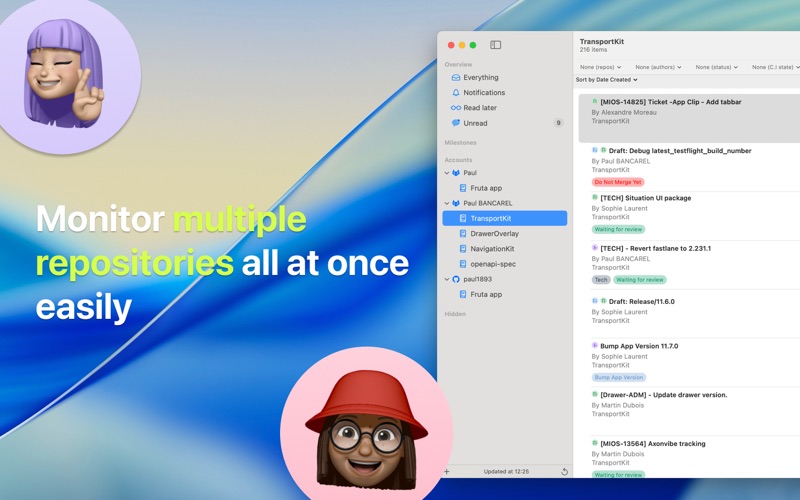
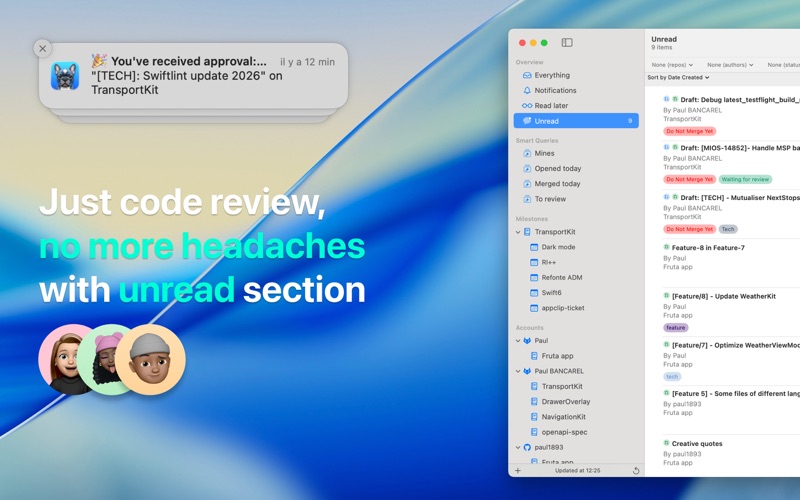
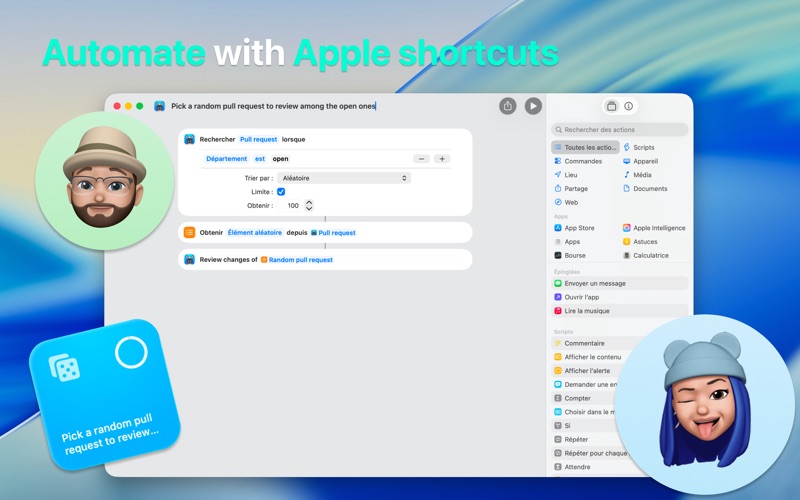
Reviewing code doesn't have to be web based! Pulldog is a macOS client. Review any project like never before with increased efficiency and reliability in an app that feels right at home on your Mac. The main goal of Pulldog is to be best citizen class for Apple ecosystem accessing spotlight, widgets, Siri & shortcuts becomes available in your day to day flow helping you focus on what truly matters. Here are some features available in Pulldog: → Smart queries: Create smart queries that let you filter pull requests by advanced rules like: PR created date > X week(s), PR author name matching X AND pipeline status is "failed" , ... → Search: Make transversal search across all your accounts or into a specific repository. Search your pull request by numbers, title or title + description. → Filters: Quickly filter pull requests across different accounts by tags, authors, PR status, pipelines results & even more. → Read later: A special place to drag & drop pull requests you especially care about. → Keyboard shortcuts: Access pull requests informations on the fly, search, review faster than ever by jumping to next file, changes or comment without taking your hands off your keyboard. → Notifications: Receiving email when co-workers push changes is good but we feel receiving notifications right on your macOS system is better. → Highly customizable: Pulldog supports 185 languages & have 90 themes available. → Auto-commit filtering: Auto-commit filtering let's you see what changed since your last review or your last approval. → Compatible with Apple intelligence (requires macOS 15.0+) → Memojify: Replace on the fly all avatars of your team by memojies. → Widgets: Create beautiful widgets to keep an eye on your team work at anytime by putting your widgets directly on your Desktop or on your Notification Center. → Spotlight: Always be only one clic away from your pull requests with spotlight indexation Save time! Developers spend a significant portion of their time on code reviews; we believe this experience can be improved and made more seamless by integrating it deeply into the macOS experience. Try it today! https://www.apple.com/legal/internet-services/itunes/dev/stdeula/
Latest release
What’s New
→ Features New 'Notifications' group in the sidebar Add an approvals count quick filter in the toolbar Enable select lines to comment on Github accounts Show pipeline duration & failing jobs (for Github & Gitlab accounts) Show participants Comment are sent independently & can be retried in case of failure Support for invisible characters Alternative icons can be unlocked You can now choose in Settings how many lines you want around hunks in hunk presentation style New colored lines in gutter → Fixes Improve conflicts resolution between cache copy of a pull request and his server one Better respect of 429 errors from Github and Bitbucket Fix a bug where selected files label stays visible while not in 'hunk presentation' style Fix a bug on Ctrl-z with multiple comment being edited at the same time Current editing comment is now more reliable when navigating between unified and hunk presentation style File selection stays in sync with hunk/non-hunk presentation style during review Fix github pipeline URL Fix wrong login name was used instead of username in some thread discussions Improve performance for long files Improve user interface (comments, timeline, detail view, resolved button, tags, 'edited label') Attachments are now limited to 25MB
Audience growth
Ratings growth
Baseline captured. Growth appears after the crawler observes a changed rating count.
Momentum comes from crawler snapshots for the tracked storefront. “Viral growth signal” means unusually fast recent rating gains; it is an indicator, not download data.
Price tracking
Price intelligence
First snapshot captured. The trend line starts after the next crawler price observation.
- First observed Aug 8, 2026 · 3:21 PM Free
Screenshots