Apps by Meescan Inc.
PWPL Self-Checkout App app icon

Lifestyle

PWPL Self-Checkout App

Meescan Inc.

Free download In-app purchases unconfirmed
Open on Apple

About this app

Use your smartphone as your own personal self-checkout machine. To get started, tap the download link! Then follow these steps: Scan: Select an item from the Library shelf and scan the barcode. Repeat for all items you wish to borrow. Checkout: Finish the checkout process within in the app, making sure all items have been scanned and checked out. Enjoy! Visit PWPL.org for more information and a list of frequently asked questions.

Latest release

What’s New

Version 5.00.13 Aug 10, 2026

To make our app better for you, we bring updates to the App Store regularly. This update also includes minor usability improvements and bug fixes.

Audience growth

Ratings growth

Steady
7-day gain +0
Ratings / day 0.0
30-day gain +0
US rating-count history
0 ratings
0 Aug 12, 2026 · 0 ratings Aug 12, 2026

Baseline captured. Growth appears after the crawler observes a changed rating count.

Momentum comes from crawler snapshots for the tracked storefront. “Viral growth signal” means unusually fast recent rating gains; it is an indicator, not download data.

Price tracking

Price intelligence

1 captured event
Current Free
Historical low Free
Paid → free
Price history
Current Free
Free Aug 12, 2026 · Free Aug 12, 2026

First snapshot captured. The trend line starts after the next crawler price observation.

  1. First observed Aug 12, 2026 · 6:31 AM Free

Screenshots

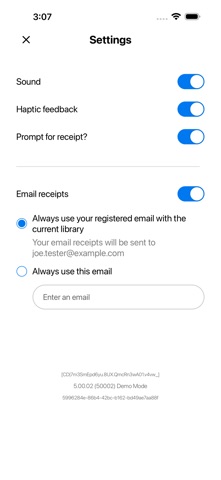
PWPL Self-Checkout App iPhone screenshotPWPL Self-Checkout App iPhone screenshotPWPL Self-Checkout App iPhone screenshotPWPL Self-Checkout App iPhone screenshotPWPL Self-Checkout App iPhone screenshotPWPL Self-Checkout App iPhone screenshotPWPL Self-Checkout App iPhone screenshotPWPL Self-Checkout App iPhone screenshotPWPL Self-Checkout App iPhone screenshot PWPL Self-Checkout App iPad screenshotPWPL Self-Checkout App iPad screenshotPWPL Self-Checkout App iPad screenshotPWPL Self-Checkout App iPad screenshotPWPL Self-Checkout App iPad screenshotPWPL Self-Checkout App iPad screenshotPWPL Self-Checkout App iPad screenshotPWPL Self-Checkout App iPad screenshotPWPL Self-Checkout App iPad screenshot