About this app
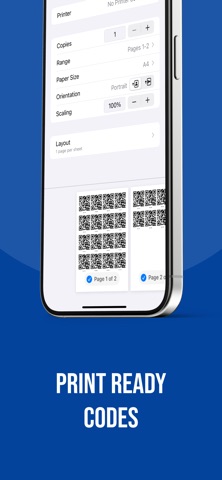
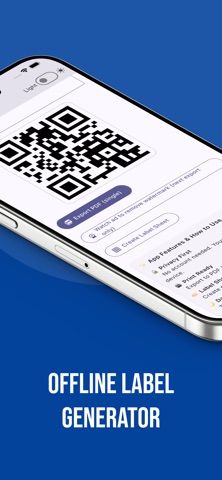
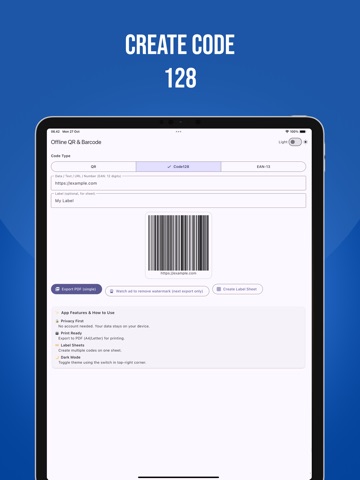
Design and print professional QR and barcode labels—fast. Generate QR, Code 128, and EAN-13, add an optional caption, and export crisp PDFs ready for home or office printers. No sign-in, no setup—just make, preview, and print. What you can do • Create QR, Code 128, and EAN-13 • Add a custom label/caption • Build printable sheets (rows × columns × copies) • Export high-quality PDF (single code or full sheet) • Clean, modern interface with Dark Mode • Works smoothly without an internet connection Why it’s great • Lightning-fast: type → preview instantly • Print-ready: sharp vector PDF output • Flexible sheets: save paper with dense grids • Privacy-minded: your data stays on your device How to use 1. Choose code type (QR / Code 128 / EAN-13) 2. Enter your data (URL, text, or numbers) 3. Optional: add a label/caption 4. Export a single code or build a full label sheet 5. Print or share the PDF Notes • Scannability depends on print size, contrast, and camera quality. Terms of Use: https://www.apple.com/legal/internet-services/itunes/dev/stdeula/
Latest release
What’s New
Performance improvements and bug fixes
Audience growth
Ratings growth
Baseline captured. Growth appears after the crawler observes a changed rating count.
Momentum comes from crawler snapshots for the tracked storefront. “Viral growth signal” means unusually fast recent rating gains; it is an indicator, not download data.
Price tracking
Price intelligence
First snapshot captured. The trend line starts after the next crawler price observation.
- First observed Sep 4, 2026 · 1:44 AM Free
Screenshots