About this app
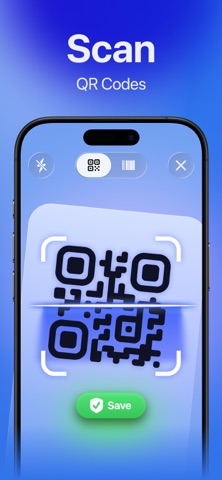
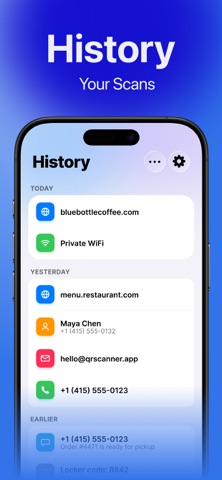
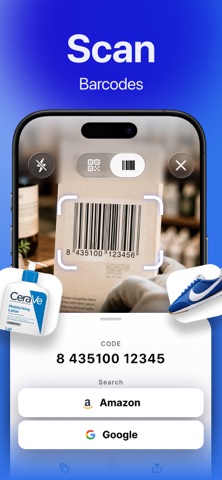
Scan QR codes and barcodes quickly, easily, and without any extra steps. QR Scanner instantly recognizes codes using your camera or an image from your gallery. Save scan results, check links before clicking, find product information on Google or Amazon, and create your own custom-designed QR codes. QUICK SCAN Point your camera at a QR code or barcode—the app will automatically recognize it and display the result. Major barcode formats are supported, including EAN, UPC, Code 128, Code 39, ITF, and other common types. SCAN FROM PHOTO Is the code in a saved photo or screenshot? Select an image from your gallery, and the app will attempt to recognize the QR code or barcode it contains. SUSPICIOUS LINK WARNING Before opening a web link, the app verifies it directly on your device. If an address contains signs of a potential risk, you will see a warning before clicking. This feature helps you be more careful with unknown QR codes, but it does not guarantee complete protection against all online threats. PRODUCT SEARCH Scan the product barcode and search for product information on Google or Amazon. SCAN HISTORY Results are saved in a convenient history and grouped by date. Revisit recent scans, delete individual entries, or clear the entire history. QR CODE CREATION Create your own QR codes for: • Web links; • Wi-Fi networks; • Contacts; • Plain text; • Email; • Phone numbers; • SMS messages. CUSTOMIZED DESIGN Customize the color and shape of QR code elements, add a logo in the center, and create a design that suits you. Save created codes to your personal library and share them using the standard iOS menu. PRIVACY Code recognition and link verification are performed directly on the device. Scanned data is not sent to a remote server for processing. The app is ad-free and supports light and dark themes. FREE SCANNING QR code and barcode scanning, code recognition from photos, history, link verification, and product search are available without limitations. You can create up to three QR codes for free. A subscription removes the limit on the number of QR codes you can create. Key features: • QR code scanning with a camera; • Recognition of major barcode formats; • Scan codes from photos and screenshots; • Warnings about suspicious links; • Search for product information on Google or Amazon; • Save scan history; • Create different types of QR codes; • Customize QR code designs; • Library of created codes; • Send codes via the Share menu; • Process scans directly on your device; • No ads; • Light and dark themes. Download QR Scanner — a convenient tool for scanning, creating, and storing QR codes in one app. Subscription Information: — Payment will be charged to your Apple ID at confirmation of purchase. — Subscription automatically renews unless auto-renewal is turned off at least 24 hours before the end of the current period. — Your account will be charged for renewal within 24 hours prior to the end of the current period;the cost of the renewal will be indicated in advance. — You can manage your subscriptions and turn off automatic renewal at any time in your Apple ID account settings. — You can cancel your subscription at any time in your Apple ID settings. All prices include applicable local taxes. — If a free trial is offered, any unused portion will be forfeited when you purchase a subscription. — After the free trial ends, if offered, the subscription automatically renews at the regular price unless canceled before the end of the trial period. Privacy Policy: https://footclo.uk/privacy-policy/index.html Terms of Use: https://footclo.uk/terms-of-service/index.html
Latest release
What’s New
minor improvements and bug fixes
Audience growth
Ratings growth
Baseline captured. Growth appears after the crawler observes a changed rating count.
Momentum comes from crawler snapshots for the tracked storefront. “Viral growth signal” means unusually fast recent rating gains; it is an indicator, not download data.
Price tracking
Price intelligence
First snapshot captured. The trend line starts after the next crawler price observation.
- First observed Sep 2, 2026 · 2:53 PM Free
Screenshots