About this app
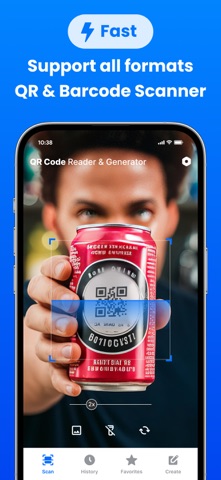
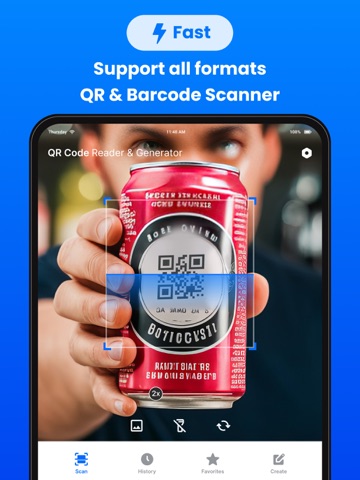
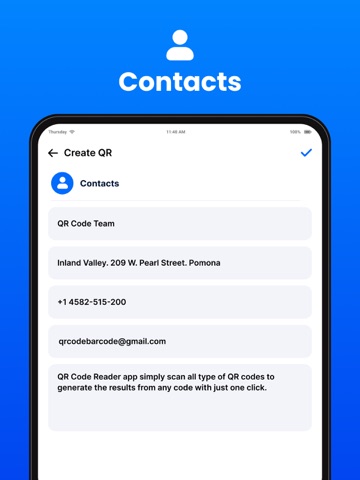
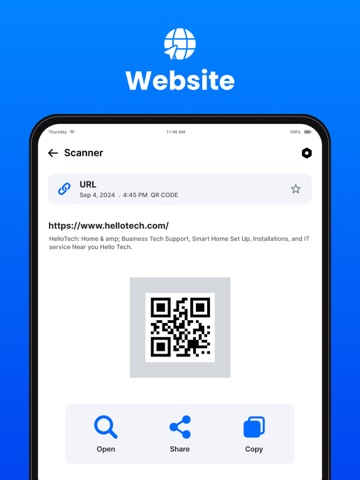
create QR codes for various types of data: • URL: Convert any website link into a QR code for instant sharing. • Contact: Generate QR codes from contact details (e.g., name, phone, email) for seamless sharing. • Text: Transform plain text messages into QR codes. • Email: Create QR codes for email addresses or pre-filled email templates. • Phone: Generate QR codes for direct phone dealing. • SMS: Create QR codes with pre-filled SMS messages for quick sending. • Geo-Location: Share locations using QR codes with latitude and longitude coordinates. • Wi-Fi: Make connecting to Wi-Fi simple by sharing SSID and password in a QR code. • My QR: Save and manage personalised QR codes for recurring use. • Share and Save: Save generated QR codes to your photo gallery or share them via email, social media, or messaging apps. QR Code Scanning: • Scan QR Codes: Detect and process QR codes with a single tap, whether it’s a link, text, phone number, or more. • Open Links: Automatically open scanned URLs in your browser. • Share Scanned Data: Share scanned information with other apps or contacts directly. • Copy Scanned Data: Copy the content of a QR code to your clipboard for easy access. Data Management: • History: Maintain a comprehensive record of all scanned and generated QR codes for future reference. • Favourites: Mark important QR codes as favourites for quick access when needed. • Edit and Update: Modify and update saved QR code data with ease. Additional Features • User-Friendly Interface: Enjoy a clean, simple, and intuitive design that ensures easy navigation for users of all experience levels. • Dark Mode Support: Compatible with iOS's system-wide dark mode, ensuring a comfortable user experience in any lighting condition. • Custom QR Code Designs: Personalise QR codes with color options and embed logos or images to match your brand or style. • Secure Data Handling: Prioritise privacy and security by securely storing and sharing your data within the app. • Offline Support: Generate QR codes and access your history even without an internet connection. With QR Code Generator & Scanner, you have a versatile tool that simplifies sharing, scanning, and managing QR codes in your everyday life. Whether for personal or professional use, this app is designed to make your QR code experience seamless and secure. Subscription Details: - Payment will be charged to iTunes Account at confirmation of purchase. - Subscription automatically renews unless auto-renew is turned off at least 24 hours before the end of the current period. - Account will be charged for renewal within 24 hours before the end of the current period, and identify the renewal cost. - No cancellation of the current subscription is allowed during the active subscription period. - Any unused portion of a free trial period, if offered, will be forfeited when the user purchases a subscription to that publication, where applicable. For Further Information: Privacy Policy = https://www.privacypolicycenter.com/view_custom.php?v=ODA5U0xZSDNlZXFRVlZBL0krdkpTZz09&n=Privacy-Policy Terms of Use = https://www.privacypolicycenter.com/view_custom.php?v=MHdUZUFuejA3Q2RLVUhVdEZkU2hlZz09&n=Terms-Of-Use
Audience growth
Ratings growth
Baseline captured. Growth appears after the crawler observes a changed rating count.
Momentum comes from crawler snapshots for the tracked storefront. “Viral growth signal” means unusually fast recent rating gains; it is an indicator, not download data.
Price tracking
Price intelligence
First snapshot captured. The trend line starts after the next crawler price observation.
- First observed Aug 10, 2026 · 6:43 AM Free
Screenshots