About this app
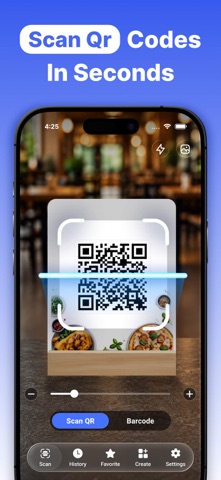
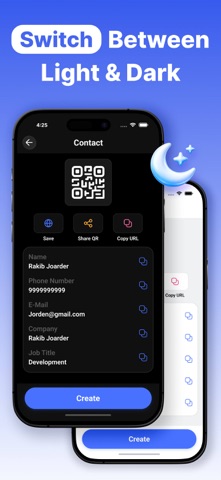
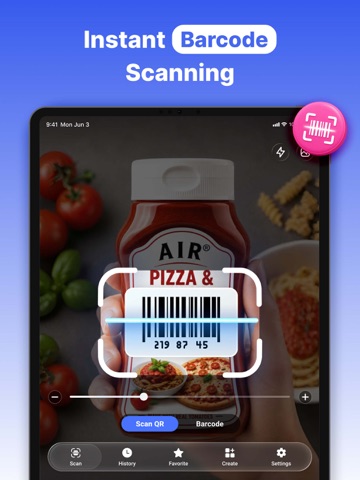
QR Scanner · Barcode Reader Fast. Secure. Powerful. Turn your iPhone into a smart scanner and QR code creator. QR Scanner · Barcode Reader lets you scan QR codes and barcodes instantly, view detailed results, save important scans, and create custom QR codes for personal or business use. Designed with speed, privacy, and simplicity in mind, this app works fully on your device and supports a wide range of use cases—from opening websites and Wi-Fi connections to managing contacts, payments, and social profiles. Scan QR Codes & Barcodes Instantly: - Fast and accurate QR code scanning - Reliable barcode recognition - Works with camera or images from your gallery - Flashlight and zoom support for low-light scanning - Smooth and responsive scanning experience Simply point your camera and get results instantly. Detailed Scan Results: Every scan shows a clean and easy-to-read result view with powerful actions: - Open scanned links instantly - Copy or share URLs - Save scan results for later - Mark important results as favorites Perfect for daily use, work, shopping, and travel. History & Favorites: Never lose an important scan again. - View scan history for QR codes, created QR codes, and barcodes - Organize results easily - Share or delete saved scans - Quickly access favorite results Great for keeping track of frequently used codes. Create Custom QR Codes: Create QR codes in seconds for multiple purposes. Common QR Types - Text - Website - Contact information - Wi-Fi access - Calendar events - Email and messages - Location - Barcode generation Social & App QR Codes - Facebook - Instagram - YouTube - Spotify - PayPal - WhatsApp - X (Twitter) Perfect for sharing profiles, payments, and information instantly. Built for Everyone: - Supports 35 app languages - Light, Dark, and System theme support - Vibration and sound controls - Clean Apple-style interface The app feels natural and familiar on every iPhone. Privacy First Your privacy matters. - No account required - No unnecessary data collection - Scans processed on your device - Secure and reliable performance Use the app with confidence. Why Users Love QR Scanner · Barcode Reader: - Fast and simple to use - Powerful QR creation tools - Clean and modern design - Reliable results every time - Ideal for personal and professional use Download now and experience a smarter way to scan, save, and create QR codes. Privacy Policy - https://sites.google.com/view/qrcodescanapp Terms and Conditions - https://www.apple.com/legal/internet-services/itunes/dev/stdeula/
Latest release
What’s New
-Enhanced stability and optimized user experience.
Audience growth
Ratings growth
Baseline captured. Growth appears after the crawler observes a changed rating count.
Momentum comes from crawler snapshots for the tracked storefront. “Viral growth signal” means unusually fast recent rating gains; it is an indicator, not download data.
Price tracking
Price intelligence
- First observed Aug 25, 2026 · 7:42 PM Free
Screenshots