About this app
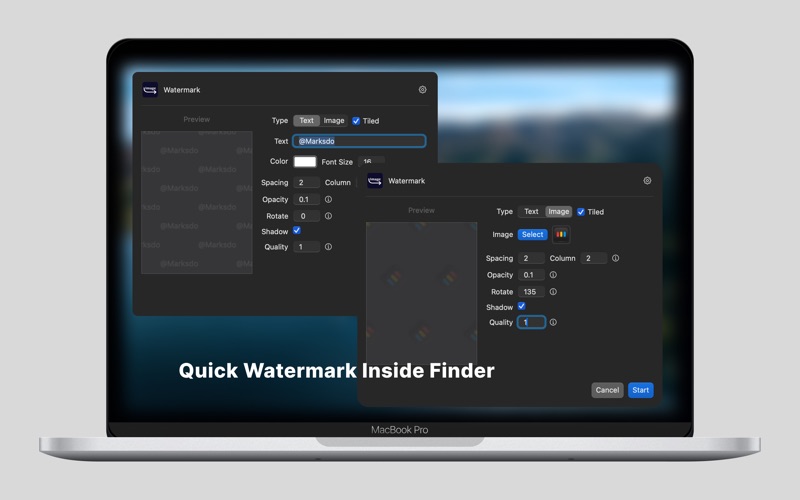
# Features - Batch Rename – Rename images using customizable variables like sequence numbers, creation dates, and image dimensions. - Batch Resize – Resize images to specific dimensions in one click. - Batch Watermark – Add watermarks to multiple images effortlessly. - Convert to WebP – Quickly convert images to .webp format. - Convert to AVIF – Easily convert images to .avif format. - Quick Copy & Paste – Copy an image (not just the file name) to the clipboard for seamless pasting. - Convert to Base64 – Generate Base64 strings for use in HTML img tags. - AI Super-Resolution – Enhance image quality before compressing to .webp or .avif. # Privacy First All processing is done locally on your Mac. No internet upload required, your images stay private. # How It Works 1. Select image(s) in Finder. 2. Right-click → Quick Actions. 3. Done!
Latest release
What’s New
- Fixed the issue where the new Quick Action did not appear in the Finder extension.
Audience growth
Ratings growth
Baseline captured. Growth appears after the crawler observes a changed rating count.
Momentum comes from crawler snapshots for the tracked storefront. “Viral growth signal” means unusually fast recent rating gains; it is an indicator, not download data.
Price tracking
Price intelligence
First snapshot captured. The trend line starts after the next crawler price observation.
- First observed Aug 7, 2026 · 11:15 PM Free
Screenshots