About this app
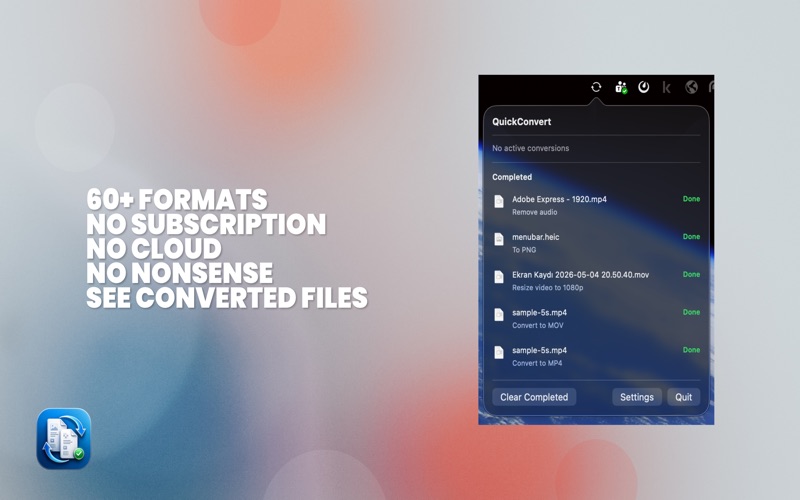
QuickConvert is a fast, privacy-friendly file conversion utility for macOS that helps you transform images, video, audio, PDFs, archives, spreadsheets, and text files right from your Mac. Built for speed and simplicity, QuickConvert integrates with Finder so you can convert files from the context menu without opening large, complicated apps. It is designed for everyday work: clean exports, practical presets, and format tools you will actually use. Convert directly from Finder QuickConvert adds conversion actions to the Finder menu, making it easy to process files in just a few clicks. It also includes a lightweight menu bar app for quick access to recent jobs and settings. Supported conversions and tools include: Images - Convert between JPG, PNG, TIFF, BMP, GIF, HEIC, PDF, ICO, ICNS, AVIF, and JP2 - Resize images with percentage presets or fixed dimensions - Rotate and flip images - Convert to grayscale - Change DPI - Convert color profiles - Strip EXIF metadata - Extract image metadata to TXT - Crop to common aspect ratios - Flatten transparency onto a solid background Video - Convert between MP4, MOV, and M4V - Extract audio from video to M4A, WAV, AIFF, or CAF - Export GIF from video - Trim video using built-in presets Audio - Convert audio to M4A, WAV, AIFF, or CAF PDF and documents - Convert DOCX, DOC, ODT, RTF, and RTFD to PDF - Export PDF pages as PNG, JPG, or TIFF - Extract PDF text to TXT - Convert PDF to HTML - Merge multiple images into a single PDF Archives - Compress files into ZIP or TAR.GZ - Extract ZIP, TAR, TAR.GZ, TGZ, TAR.BZ2, TBZ2, TAR.XZ, TXZ, and GZ archives Spreadsheets and data - Convert CSV, TSV, and XLSX formats - CSV to XLSX - XLSX to CSV - CSV to TSV - XLSX to TSV Text and developer utilities - UTF-8 normalization - Line ending conversion (LF / CRLF) - JSON pretty print and minify - XML formatting - Base64 encode and decode - URL encode and decode - Change text case: upper, lower, and title case Why QuickConvert - Native macOS experience - Finder integration - Menu bar access - Fast local processing - No bloated workflow - Privacy-friendly design QuickConvert is made for people who regularly handle files and want a reliable, lightweight conversion tool that feels at home on macOS. Whether you are preparing assets, cleaning documents, reformatting data, exporting media, or handling everyday file tasks, QuickConvert keeps the workflow simple.
Latest release
What’s New
Added QuickConvert Pro with 25 free conversions and a one-time unlock. Added Web image optimization for WebP, AVIF, and JPEG. Added Web-ready image ZIP bundles for multi-image selections. Added searchable PDF creation with OCR. Added Mac App Store screenshot presets. Added subtitle tools: timestamp offset, cleanup, and plain transcript export. Added Markdown tools: Markdown to HTML, Markdown to PDF, and HTML to Markdown. Improved signing/project configuration for App Store builds.
Audience growth
Ratings growth
Baseline captured. Growth appears after the crawler observes a changed rating count.
Momentum comes from crawler snapshots for the tracked storefront. “Viral growth signal” means unusually fast recent rating gains; it is an indicator, not download data.
Price tracking
Price intelligence
First snapshot captured. The trend line starts after the next crawler price observation.
- First observed Aug 4, 2026 · 7:40 PM Free
Screenshots