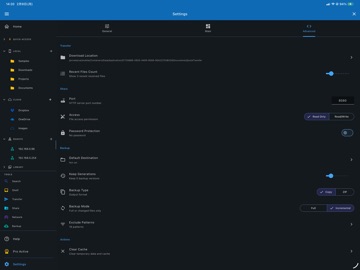
About this app
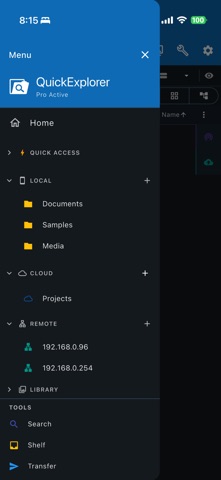
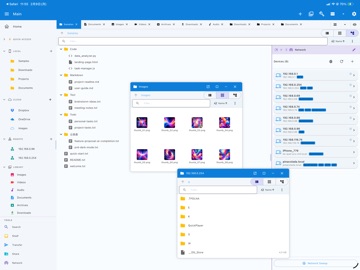
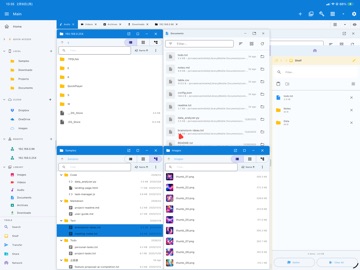
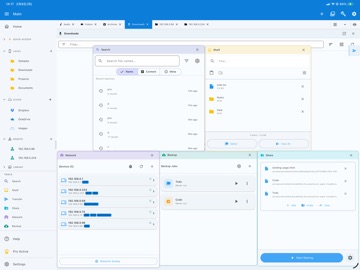
QuickExplorer is a professional-grade file manager for developers and power users, bridging local storage, NAS, and remote servers. File Management • Take control of your storage—browse, copy, move, rename, and delete anything • Integrated Terminal: Launch shell tabs that automatically follow your active folder path for seamless command-line operations • Advanced Batch Rename: Apply complex rules (replace, append, number, format) to multiple files instantly • File Split & Merge: Break massive files into manageable blocks and rejoin them securely with built-in integrity checks • Disk Usage Analyzer: Visualize your storage to easily identify large files and free up space • Multi-Pane Workspace: Arrange multiple folders for lightning-fast operations • Universal drag-and-drop copy/move across local and network drives • Global search everything: names, contents, & metadata. • Shelf tool: gather files from multiple locations, move in one go • Create advanced backup jobs • Comprehensive Archive Manager: Compress and extract multiple formats including ZIP, 7Z, RAR, TAR, and GZ • Smart Library: auto-categorize photos, videos, audio, documents, archives Network & Remote Access • SMB/CIFS (Windows shares, Synology/QNAP NAS) • SFTP/SSH, WebDAV, FTP • Auto-discovery via Bonjour/mDNS • Network scan to detect devices by IP range • Stream media directly from remote servers Instant File Server • Turn your device into a NAS — host local folders via HTTP/WebDAV • Share to PC/Mac browser with QR code • Cross-platform transfer without cloud services Viewer & Customization • Diff & Merge Tool: Compare directories, text, and hex files side-by-side with powerful regex filter support • Quick Look preview for images, text, media • Code viewer with syntax highlighting • List, Tree and Grid views with thumbnails • Sort by name, date, size, or type • 20+ theme colors - Customize with dark/light mode Pro Features • Ad-free experience • Unlimited features • Priority support Terms of Use: https://kakitiro.com/quickapps/quickexplorer/terms/
Latest release
What’s New
• Bug fixes and performance improvements. • UI and design improvements.
Audience growth
Ratings growth
Baseline captured. Growth appears after the crawler observes a changed rating count.
Momentum comes from crawler snapshots for the tracked storefront. “Viral growth signal” means unusually fast recent rating gains; it is an indicator, not download data.
Price tracking
Price intelligence
First snapshot captured. The trend line starts after the next crawler price observation.
- First observed Aug 8, 2026 · 11:28 AM Free
Screenshots