About this app
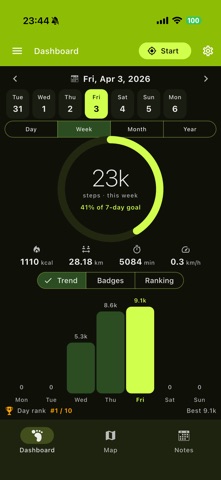
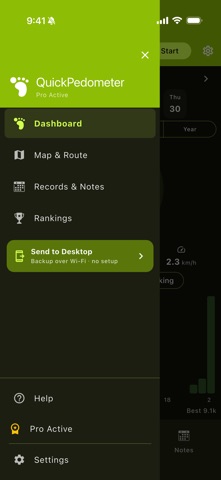
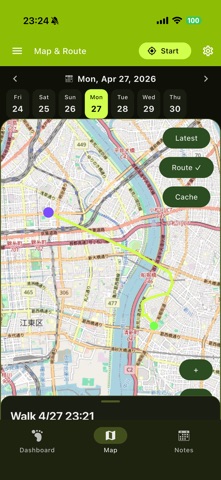
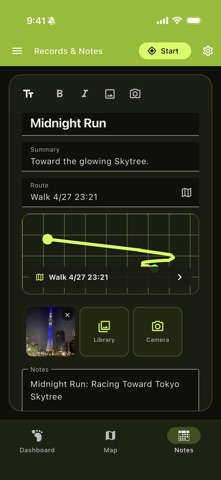
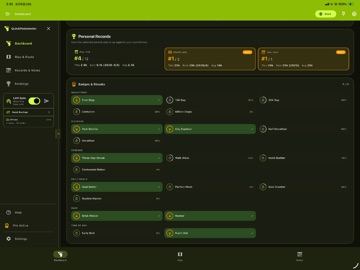
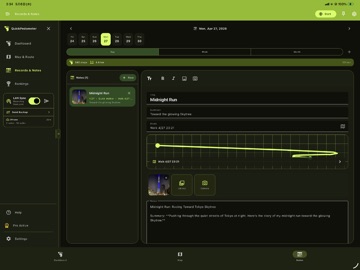
QuickPedometer is a local-first step counter and walking companion for mobile and desktop. Record live steps and GPS routes on supported phones, then review maps, trends, personal records, notes, and local backups across your devices. STEP TRACKING: - Real-time step counting with device motion sensors on supported phones - Active GPS walks can continue during screen lock or background when OS permissions allow - Walking, running, and hiking activity profiles - Daily step goals with progress tracking - Balanced/high-accuracy GPS and power-saving options ROUTES & MAPS: - GPS route traces with checkpoints and session history - Interactive OpenStreetMap route maps - Offline tile caching for previously viewed areas - Link walk notes directly to recorded sessions HEALTH METRICS: - Steps, distance, calories, active minutes, and average pace - Distance in kilometers or miles; energy in kcal or kJ - Calorie estimates based on your weight, height, and stride TRENDS & ACHIEVEMENTS: - Day, week, month, and year activity views - Hourly/daily charts plus a yearly heatmap - Personal day/month/year records and best-vs-average comparisons - Badge categories, progress, streaks, and milestone celebrations WALK NOTES: - Notes with headings, checklists, bold, and italic formatting - Attach multiple photos and open them in a gallery - Connect notes to routes and walking sessions OPTIONAL AI ASSISTANCE: - Dashboard insights and reviewable daily-goal suggestions - Review and approve AI walk-note drafts - Route reviews, weekly/monthly reports, and walking missions - Health-import summaries and editable Walking Circle share copy - Route reviews use summary statistics; raw GPS coordinates are not sent by default HEALTH, EXPORT & LOCAL SYNC: - Import recent Apple Health or Health Connect history on supported phones - Export weekly CSV data and full JSON backups - Send and merge backups between QuickPedometer devices over your local network - Share/import Walking Circle cards to compare weekly stats CUSTOMIZATION: - Configurable goals, stride, weight, height, GPS accuracy, and units - 20+ theme colors with light and dark modes - Responsive layouts for phone, tablet, and desktop All tracking, notes, maps, insights, export, and sync features are available in Free. QuickPedometer Pro removes mobile ads and desktop upgrade reminders through a lifetime purchase or annual plan. Terms of Use: https://kakitiro.com/quickapps/quickpedometer/terms/
Latest release
What’s New
• Bug fixes and performance improvements. • UI and design improvements.
Audience growth
Ratings growth
Baseline captured. Growth appears after the crawler observes a changed rating count.
Momentum comes from crawler snapshots for the tracked storefront. “Viral growth signal” means unusually fast recent rating gains; it is an indicator, not download data.
Price tracking
Price intelligence
First snapshot captured. The trend line starts after the next crawler price observation.
- First observed Aug 8, 2026 · 11:28 AM Free
Screenshots