About this app
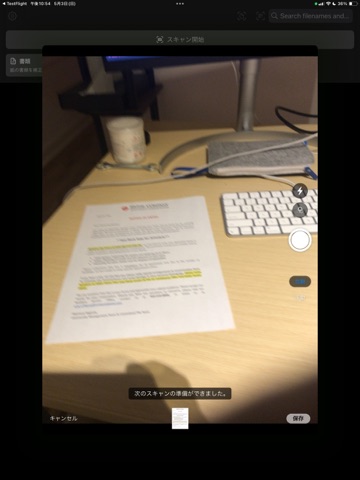
QuietScan turns paper documents into clean PDFs. No ads, no watermarks, no sign-in. Everything stays on your device. Scanned images, generated PDFs, and OCR text are saved locally — never uploaded. KEY FEATURES • Four scan modes: Document, Whiteboard, Photo, Business Card • On-device OCR (Japanese + English) using Apples Vision framework • Searchable PDFs you can search inside the Files app • Business card to one-tap save to Contacts • QR code reader • Add pages to existing PDFs • Read recognized text aloud • AirPrint, save pages to Photos, share via Files app • App Lock with Face ID / passcode • Sort and filter your document list, search by filename or OCR text PRIVACY BY DEFAULT • No ads • No watermarks • No account or sign-in • No analytics, no telemetry • OCR runs locally; nothing is sent to a server • PDFs live in the QuietScan folder visible in the Files app QuietScan is built for people who scan paper for work — receipts, contracts, business cards, whiteboard notes — and dont want a scanner app pushing subscriptions and ads at them. Made for iOS 17 and later.
Audience growth
Ratings growth
Baseline captured. Growth appears after the crawler observes a changed rating count.
Momentum comes from crawler snapshots for the tracked storefront. “Viral growth signal” means unusually fast recent rating gains; it is an indicator, not download data.
Price tracking
Price intelligence
First snapshot captured. The trend line starts after the next crawler price observation.
- First observed Aug 21, 2026 · 6:39 PM Free
Screenshots