About this app
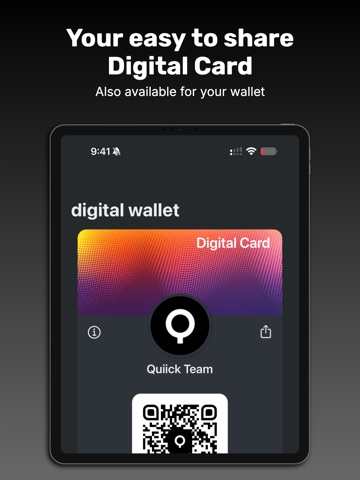
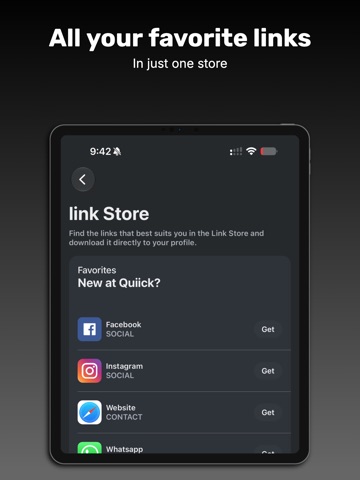
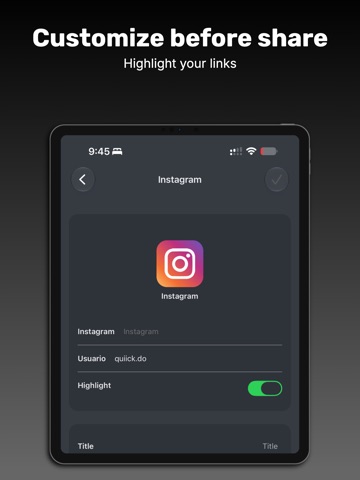
Welcome to Quiick — Connecting like a Pro. Grow your network with Quiick, your professional digital profile that you can share in seconds: with our NFC cards, with your QR code, or straight from your device. Bring your contact details, social media, files, videos, and much more together in one place. Did you know? Even though Quiick is an app, the person you share your profile with doesn't need to install anything to see all your contact information. One tap and you're connected. With Quiick you can personalize your profile, add your business information, and build a database of connections that stays up to date automatically with the details each user adds to their own profile. Everything Quiick does for you: • Add your card to Apple Wallet and share it instantly with its QR code — even without opening the app. • Share with NFC cards or generate a digital QR when your card isn't on hand. • Get tap analytics for Business Intelligence (BI) and discover which links matter most. • See on a map the places where you've connected with others, and never forget a contact. • Access detailed analytics of all your interactions. • Group your connections in the contacts tab and invite friends to connect, keeping your network always current. • And much more… Quiick keeps your contacts always up to date, making a difference in your business, your career, your brand, your organization, and your friendships. Privacy Policy: https://quiick.do/politicas-de-privacidad.html Terms and Conditions: https://quiick.do/terminos-y-condiciones.html Terms of Use: apple.com/legal/internet-services/itunes/dev/stdeula
Latest release
What’s New
Now you can carry your Quiick card in Apple Wallet! • Add to Apple Wallet: save your digital card to Apple Wallet and share it instantly with its QR code — no need to open the app. • New dark mode: cleaner, more legible screens in both light and dark themes. • Smoother link reordering. • More stability: fixed several bugs and improved overall performance. Thanks for using Quiick. We keep improving for you.
Audience growth
Ratings growth
Baseline captured. Growth appears after the crawler observes a changed rating count.
Momentum comes from crawler snapshots for the tracked storefront. “Viral growth signal” means unusually fast recent rating gains; it is an indicator, not download data.
Price tracking
Price intelligence
First snapshot captured. The trend line starts after the next crawler price observation.
- First observed Sep 4, 2026 · 4:26 AM Free
Screenshots