About this app
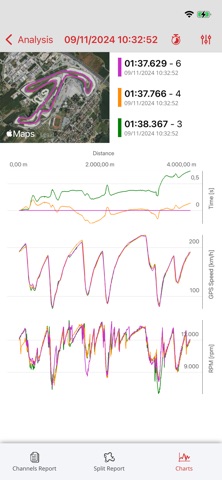
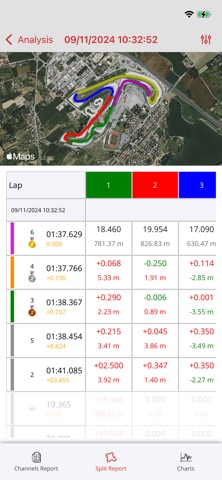
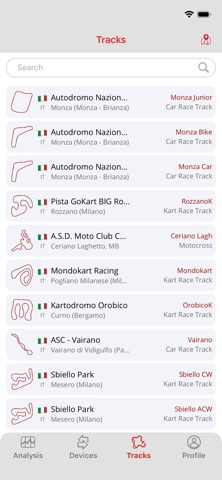
From the pit to the track, RaceStudio App puts the full power of AiM RaceStudio 3 in your pocket. Manage your devices, analyze your sessions, and fine-tune your setup — quickly, intuitively, wherever you are. With RaceStudio App you can: ∙ Analyze your performance: lap times, detailed charts, and track trajectories ∙ Manage your AiM devices: set parameters, download sessions, calibrate sensors, manage track maps, update firmware ∙ Customize your profile: log in, set preferences, and share sessions via AiM Cloud ∙ and much more. Take your data analysis where it matters most: trackside.
Latest release
What’s New
What’s new in this version: - Added support for importing external session files, with a visual highlight for newly imported sessions. - Improved AiM account and cloud data handling, with clearer storage indicators in Profile and Analysis. - Improved cloud login reliability on Android and fixed logout persistence. - Optimized device discovery by prioritizing BLE scanning. - Improved handling of SmartyCam dynamic command status. - Fixed issues related to SmartyCam LEDs, SmartyCam Wi-Fi connection, and map display in session details. - Improved overall stability, crash telemetry, and localization resource alignment.
Audience growth
Ratings growth
Baseline captured. Growth appears after the crawler observes a changed rating count.
Momentum comes from crawler snapshots for the tracked storefront. “Viral growth signal” means unusually fast recent rating gains; it is an indicator, not download data.
Price tracking
Price intelligence
First snapshot captured. The trend line starts after the next crawler price observation.
- First observed Sep 2, 2026 · 7:05 AM Free
Screenshots