About this app
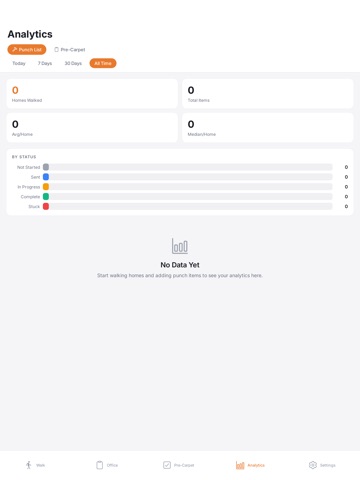
Walk it. Log it. RapidPunch is the fast, offline-first punch list app built for construction pros who manage walks, trades, and closeouts in the field. Capture every issue room-by-room, assign it to a trade, and turn a jobsite walk into a professional report in one tap—no signal required. WALK THE HOME • Log punch items as you spot them, room-by-room • Snap photos on the spot and mark them up to show the fix • See open vs. done per address, live PUNCH ITEMS, FULLY DOCUMENTED • Photo markup, trade assignment, and status in seconds • Track repair history and deadlines on every item • Assign a category to each item for clear reporting PRE-CARPET INSPECTIONS • Guided, room-by-room checklists • Severity-graded scoring with a clear Pass, Correct & Proceed, or Needs Reinspection result • Reinspection dates tracked automatically REPORTS THAT BUILD THEMSELVES • Clean, branded PDF punch reports • Photos and items grouped by room and category • Email, AirDrop, or save to Files instantly STAY ON SCHEDULE • Set deadlines on punch items • Two-way device calendar sync • See the day's walks at a glance SEE THE WHOLE JOB • Open, done, and total per home • Sort and filter every address • Master export across the entire job HOLD TRADES ACCOUNTABLE • Log backcharges per trade and per home • Track open vs. resolved status • Totals roll up by home DOCUMENTS & PLANS • Store plans and docs per address • Import builder QA inspection PDFs • Annotate without leaving the field DISPATCH IN ONE TAP • Build a trade pack per address • Send each sub only their items • Works fully offline BUILD ONCE, REUSE EVERYWHERE • Reusable community checklists • Build-time inspection series • Spin up a new home in seconds Your data lives on your device. RapidPunch is built to be fast, private, and reliable—on every jobsite, with or without a connection. Download RapidPunch and close out your punch lists faster.
Latest release
What’s New
Fixed report attaching so that when user attaches QA or Third-party report it only attaches the entire document if the the setting is toggled on in user settings.
Audience growth
Ratings growth
Baseline captured. Growth appears after the crawler observes a changed rating count.
Momentum comes from crawler snapshots for the tracked storefront. “Viral growth signal” means unusually fast recent rating gains; it is an indicator, not download data.
Price tracking
Price intelligence
First snapshot captured. The trend line starts after the next crawler price observation.
- First observed Sep 4, 2026 · 5:57 AM Free
Screenshots