About this app
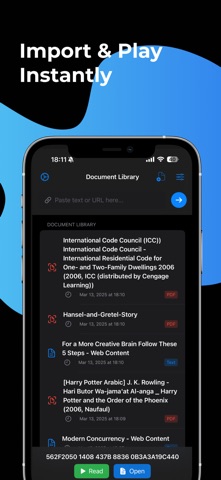
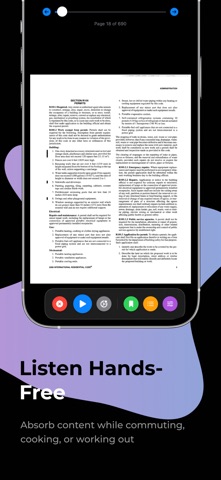
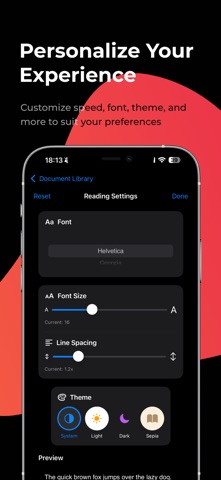
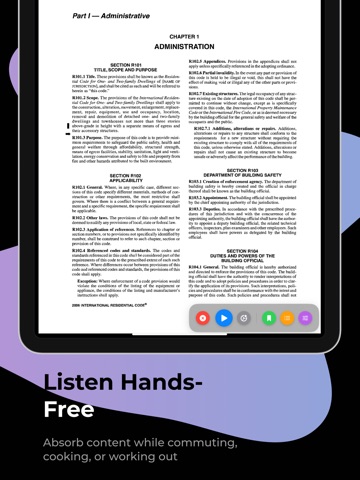
Transform any text into a natural listening experience with our powerful, easy-to-use reading app. Whether you're commuting, working out, or cooking, Read Aloud brings your content to life. Key Features: • Import From Anywhere: Easily add content from plain text, web articles, or PDF files with just a few taps. • Advanced Voice Technology: Choose from a variety of system voices for free, or upgrade to our premium ultra-realistic voices with emotional inflection that sound remarkably human. • Customizable Reading Experience: Adjust reading speed, select your preferred font, and choose from multiple themes including Light, Dark, Sepia, and High Contrast. • Multitask With Ease: Listen to books, articles, documents, and research while exercising, commuting, cooking, or relaxing – perfect for busy lifestyles. • Beautiful Reading Interface: Our modern, distraction-free reading view highlights text as it's being read, making it easy to follow along. • Personalization Options: Fine-tune voices and reading settings to match your preferences for the perfect listening experience every time. Convert any text into audio and absorb information hands-free. Read Aloud helps you make the most of your time while reducing eye strain from screen reading. Download now and turn reading into listening!
Latest release
What’s New
Play From Selection - Select any word or phrase in your document and tap "Play from here" to start reading from that exact position - Uses premium voice automatically for the best listening experience Improved PDF Support - Better detection of scanned PDFs that cannot be read aloud - Clear error message when a PDF contains only images with no extractable text - Faster PDF loading with improved error handling Enhanced Controls - Controls now stay visible while audio is playing - never lose access to pause/stop - New floating button to reveal controls when hidden - Loading indicator shows "Preparing Voice" with animated progress when starting premium voice Reliability Improvements - Added timeout protection - loading screens won't get stuck forever - Better network error handling with automatic recovery - Improved audio session management for background playback Bug Fixes - Fixed issue where controls would sometimes not appear - Fixed infinite loading when network requests timeout - Fixed premium voice loading not dismissing on failure
Audience growth
Ratings growth
Baseline captured. Growth appears after the crawler observes a changed rating count.
Momentum comes from crawler snapshots for the tracked storefront. “Viral growth signal” means unusually fast recent rating gains; it is an indicator, not download data.
Price tracking
Price intelligence
First snapshot captured. The trend line starts after the next crawler price observation.
- First observed Aug 6, 2026 · 6:08 AM Free
Screenshots