About this app
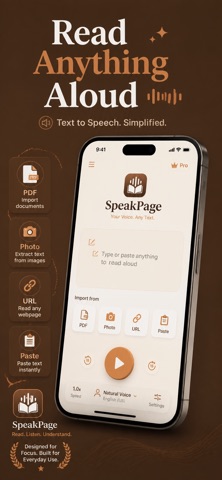
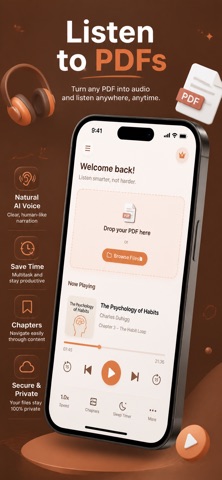
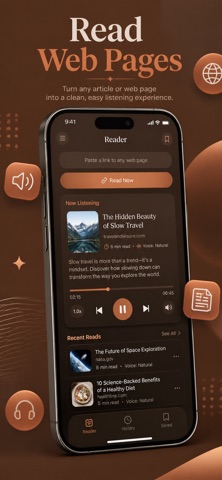
ReadAloud turns any text into natural speech using Apple's on-device voices. Listen to PDFs, articles, photos, and any text in 60+ languages — 100% offline. WHAT YOU CAN DO • LISTEN TO ANYTHING Type or paste text, import a PDF, scan a photo with OCR, or paste a URL to hear the article text. Auto language detection picks the right voice for you. • 60+ LANGUAGES & VOICES All Apple system voices included — Default, Enhanced, and Premium neural voices on iOS 17+. A voice quality indicator guides you to the best available voice for each language. • POWERFUL PLAYBACK Speed control from 0.5x to 2.5x, current word highlighted with auto-scroll, skip 10 seconds backward or forward, full Lock Screen and AirPods support, and true background playback so you can listen while doing anything else. • EXPORT TO MP3 Convert any text to an MP3 file completely on-device. Share via AirDrop, Files, or Messages, or save it for offline listening later. PRIVACY FIRST Your text never leaves your iPhone. No account required, no data collection, no tracking, no third-party SDKs. The only network request is optional URL fetching when you paste a web link. 3-day free trial, then $1.99/week. Monthly, yearly, and lifetime options available. Terms of Use: https://taxlite.net/read_aloud/terms.html Privacy Policy: https://taxlite.net/read_aloud/privacy.html
Latest release
What’s New
ReadAloud 1.4.1 is a stability fix: • Fixed a crash that could happen when pasting text copied from another app (like Notes or Safari) into the Quick Read box Your text still never leaves your iPhone.
Audience growth
Ratings growth
Baseline captured. Growth appears after the crawler observes a changed rating count.
Momentum comes from crawler snapshots for the tracked storefront. “Viral growth signal” means unusually fast recent rating gains; it is an indicator, not download data.
Price tracking
Price intelligence
First snapshot captured. The trend line starts after the next crawler price observation.
- First observed Aug 24, 2026 · 4:12 AM Free
Screenshots