About this app
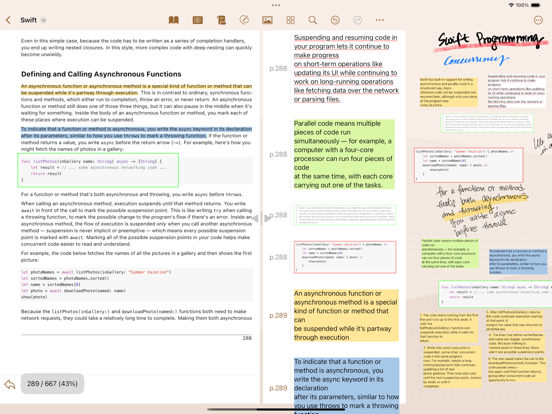
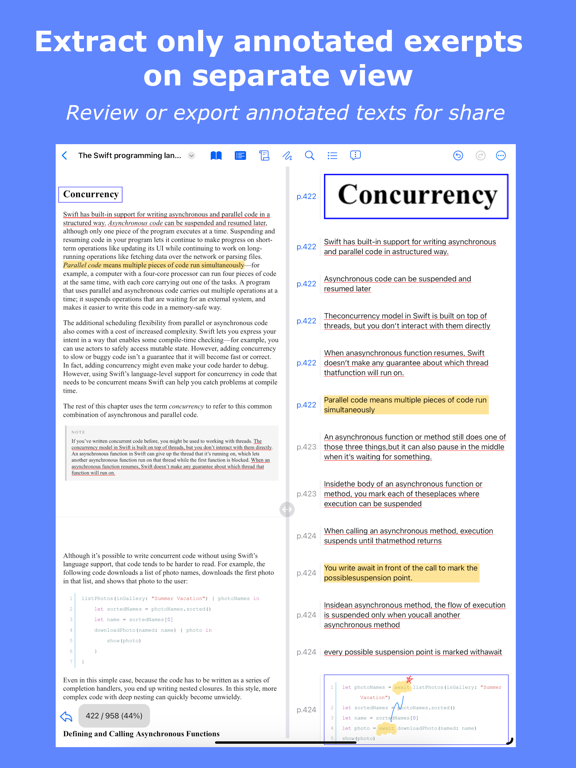
Reader's Bench — Read, Annotate & Take Notes Reader's Bench is a powerful PDF and ePub reader built for students, researchers, and professionals who need to study documents deeply. Import PDFs and ePub files, annotate them with a rich set of tools, take handwritten notes side by side, and organize everything in one place. KEY FEATURES • PDF & ePub Reader Import PDFs from the Files app, share sheet, or Safari. Supports vertical and horizontal scrolling, single-page and continuous page views, and a comfortable dark mode for reading in any lighting. • Rich PDF Annotations Highlight, underline, and strikethrough text. Add text boxes, image boxes, freehand drawings, and capture areas with Apple Pencil or your finger. Every annotation can be edited, moved, or deleted at any time. • Annotation Review View all your annotations in a summary list, filter by type, and export the review as a separate PDF report. Revisit key points without re-reading the entire document. • Handwritten Notes Take notes on a digital canvas with Apple Pencil. Switch between Canvas (infinite scroll) and Page (discrete pages) modes. Choose from dotted, squared, lined, or blank backgrounds and customize colors. Shape detection automatically perfects hand-drawn shapes. • Split View Work with your PDF and notes side by side. Switch between horizontal and vertical layouts and resize panels with a draggable divider. • Bookmarks & Search Bookmark pages for quick access and browse them in one place. Search inside documents and jump to results by page instantly. • Export & Share Export annotated PDFs, handwritten notes as PDFs, or annotation reviews as reports. Share via the iOS share sheet or print directly from the app. • iCloud Sync Documents and annotations sync across your devices via iCloud, so your work is always with you. • ePub Support Import ePub books and convert them to PDF for reading and annotation. • Share Extension Import PDFs directly from any app using the system share sheet. Reader's Bench turns your iPad and iPhone into a complete study and research workstation.
Latest release
What’s New
Feature update
Audience growth
Ratings growth
Baseline captured. Growth appears after the crawler observes a changed rating count.
Momentum comes from crawler snapshots for the tracked storefront. “Viral growth signal” means unusually fast recent rating gains; it is an indicator, not download data.
Price tracking
Price intelligence
First snapshot captured. The trend line starts after the next crawler price observation.
- First observed Sep 1, 2026 · 3:01 PM Free
Screenshots