About this app
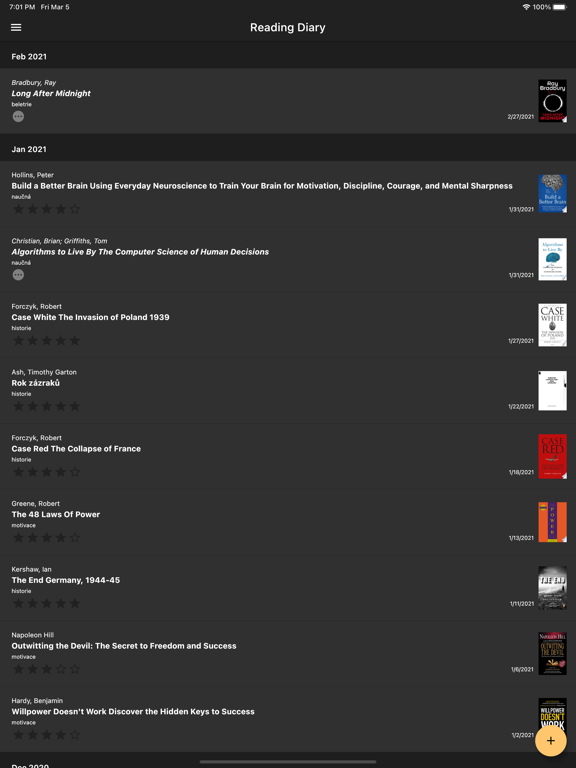
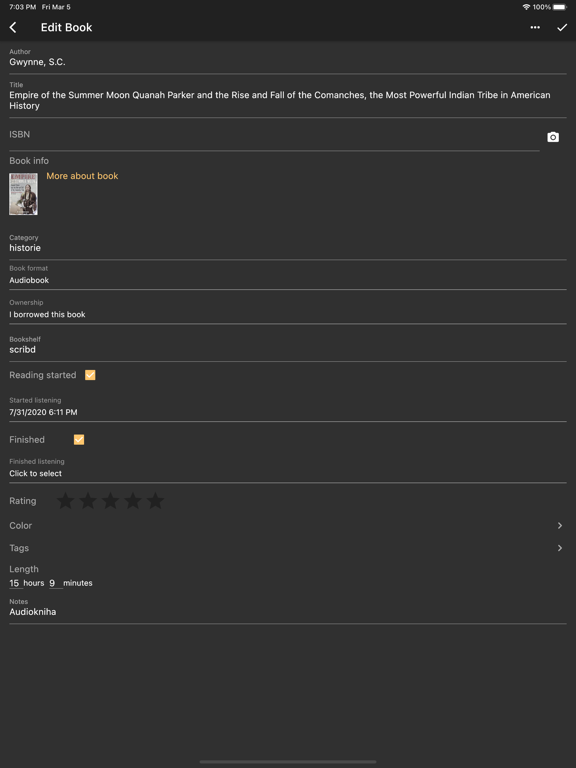
Reading Diary helps you manage your personal library. Add books, track their reading status, organize them by category and other details, search for them, and share information about them with friends. The free version lets you: - Add a book by scanning its barcode* - Search for books by ISBN, author, or title* - Add a book and enter its details manually - Enter book details: author, title, ISBN, category, book format (paperback, hardcover, e-book, audiobook, or other), reading status, date added, date you started reading, date you finished or abandoned it, book color, rating, and note - View the book cover* - Share book information with friends (author, title, note, and, when available, a link to more information or a cover image) - Filter books in the navigation drawer by reading status (not read yet, currently reading, finished, or abandoned), author, category, and format - Search for books by author, title, category, or note - Create an account and sync your data across all your devices** - Back up your data to a JSON file and restore it from that file - Use light or dark mode according to your device settings A one-time Premium purchase also unlocks: - Add your own cover photo if no cover is available online (sign-in required) - Set a book's ownership (whether you own it, borrowed it, or want it) and assign it to a shelf - Create custom tags and assign as many tags as you like to books - Enter the number of pages and the audiobook length in hours and minutes - Filter books in the navigation drawer by ownership, shelf, and tags - View detailed reading statistics - Share a reading summary for a selected period and your wishlist with friends * We use the Google Books and Goodreads services to search for books and retrieve information about them. If a book cannot be found, it is probably not in their databases. A book cover may not be available. ** You can register using an email address and password or a Google or Apple account.
Latest release
What’s New
Fix camera
Audience growth
Ratings growth
Baseline captured. Growth appears after the crawler observes a changed rating count.
Momentum comes from crawler snapshots for the tracked storefront. “Viral growth signal” means unusually fast recent rating gains; it is an indicator, not download data.
Price tracking
Price intelligence
First snapshot captured. The trend line starts after the next crawler price observation.
- First observed Sep 11, 2026 · 7:56 PM Free
Screenshots