About this app
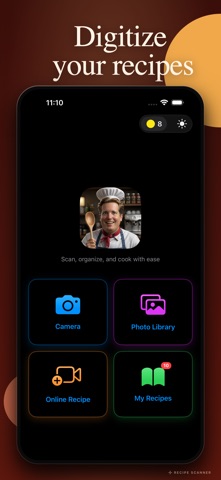
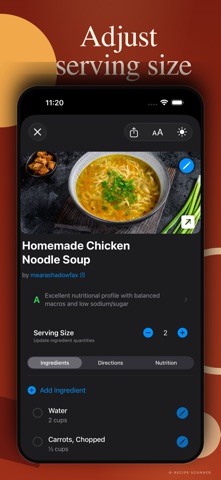
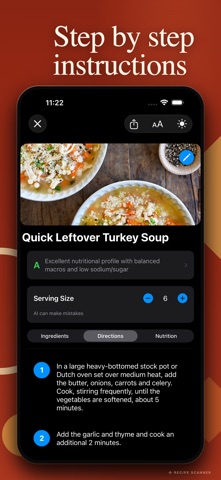
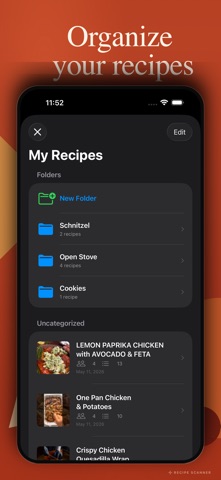
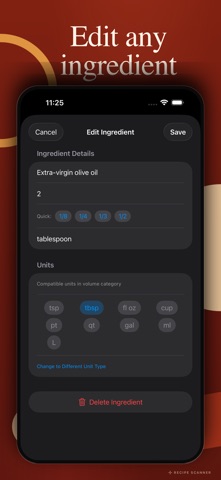
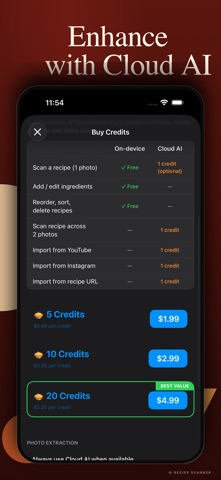
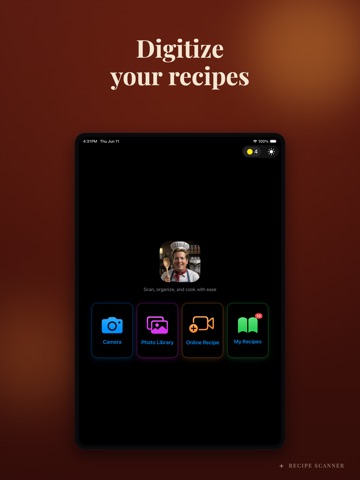
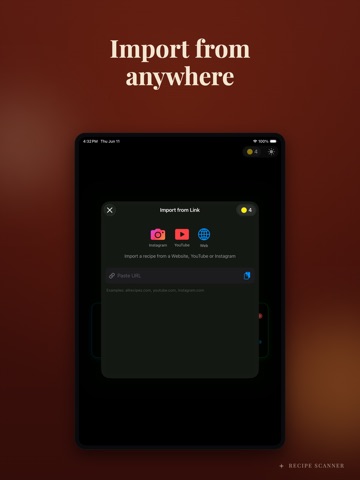
Turn any recipe into a digital collection with Recipe Scanner C! Scan cookbooks, import YouTube and Instagram videos, save recipes from any website, and get instant nutrition analysis with health grading. With on-device Apple Intelligence, all your physical recipe scanning is FREE, fast, and completely private. 3 FREE CREDITS TO GET STARTED UNLIMITED FREE SCANNING - Scan physical recipes with your camera, completely FREE - Import from Photo Library (up to 10 photos at once) - On-device Apple Intelligence extracts ingredients and directions automatically - Multi-page recipe support with automatic merging - No credits needed for camera or photo scanning - Fast, private, and accurate IMPORT FROM ANYWHERE - YouTube cooking videos (1 credit) - Instagram recipe posts and reels (1 credit) - Any recipe website URL (1 credit) - QR code scanning for instant URL import - AI extracts complete recipes from video transcripts and web pages NUTRITION ANALYSIS AND HEALTH GRADING - Per-serving nutrition facts for calories, protein, carbs, fats, fiber, sodium, and sugars - Health grade A through F on every recipe, backed by USDA Dietary Guidelines - 100-point scoring across six nutritional categories - Cooking method detection across 30+ methods (deep-fried, baked, grilled, steamed, and more) - Preparation penalty system adjusts the grade based on how the food is cooked - USDA database covering 150+ common ingredients - AI nutrition estimation fills gaps for unknown ingredients - Data source labeled on every recipe so you know where the numbers came from SMART AI PROCESSING - On-device Apple Intelligence is FREE and unlimited - Optional cloud AI enhancement for difficult recipes (1 credit, one-time per recipe) - Advanced text recognition with Vision OCR - Intelligent direction splitting and formatting - Automatic section detection for ingredients and steps ORGANIZE YOUR COLLECTION - Unlimited custom folders - Default Uncategorized folder for new recipes - Move recipes between folders with one tap - Quick search by recipe title - Visual recipe cards with thumbnails and health grades - All recipes stored locally on your device using SwiftData SMART INGREDIENT MANAGEMENT - Serving adjustment from 1 to 99 servings, ingredient quantities recalculate automatically - 18 supported measurement units across volume, weight, count, and special units - Switch between metric and imperial with one tap - Base-unit conversion math prevents rounding errors - Proper fractional display (1/2, 1/3, 1/4, 2/3, 3/4) - Per-ingredient unit conversion control COOKING MODE - Step-by-step numbered directions with checkoff - Six font size levels (14pt to 29pt) for readable text on the counter - Screen wake stays on while viewing Directions so the display does not dim - Toggle between Ingredients, Directions, and Nutrition tabs - Health grade pinned at the top while you cook THEME AND ACCESSIBILITY - Light, dark, and system theme options - VoiceOver support - Large touch targets - Adjustable font sizes PRIVACY-FIRST DESIGN - All photo scanning happens on your device with Apple Intelligence - No user accounts, no sign-up, no tracking - All recipe data stored locally on your device - Recipes do not sync to iCloud or any other device - External API calls (YouTube, Instagram, Web, Cloud AI) routed through a Cloudflare Worker proxy with rate limiting FAIR PRICING, NO SUBSCRIPTIONS - Unlimited FREE scanning with on-device AI - 3 free credits included on first launch - Credits only for premium features: - YouTube import: 1 credit - Instagram import: 1 credit - Web URL import: 1 credit - Cloud AI enhancement: 1 credit (one-time per recipe) - Automatic credit refund if a paid operation fails - Credits never expire PERFECT FOR: - Digitizing family recipe collections - Following YouTube cooking channels - Saving Instagram cooking reels - Building a personal cookbook - Tracking the nutritional impact of what you cook - Converting recipes between measurement systems
Latest release
What’s New
iPad support Bug fixes and performance improvements
Audience growth
Ratings growth
Baseline captured. Growth appears after the crawler observes a changed rating count.
Momentum comes from crawler snapshots for the tracked storefront. “Viral growth signal” means unusually fast recent rating gains; it is an indicator, not download data.
Price tracking
Price intelligence
First snapshot captured. The trend line starts after the next crawler price observation.
- First observed Aug 21, 2026 · 1:52 AM Free
Screenshots