About this app
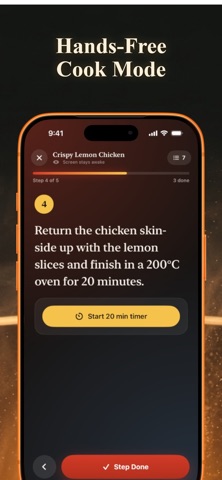
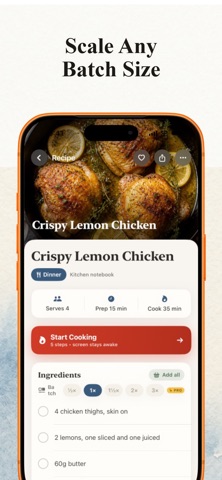
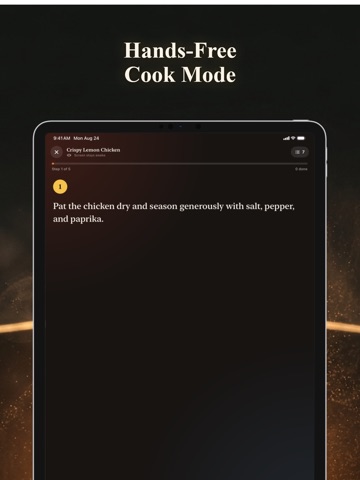
That drawer full of splattered recipe cards. The hundreds of cookbook photos buried in your camera roll. The screenshot of your grandmother's handwriting you've been meaning to save for years. RecipeSnap turns all of it into a tidy, searchable digital cookbook — no typing required. Just snap a photo of any recipe card, cookbook page, or old screenshot, and RecipeSnap reads the ingredients and steps, then tidies them into a clean recipe card in seconds. Your cookbook is stored on your iPhone, there's no account to create, and your family's handwriting stays yours. Every recipe gets sorted automatically into folders like Breakfast, Desserts, or Soups, so your cookbook organizes itself as it grows. You can always move a recipe by hand if it lands in the wrong spot. When it's time to cook, switch to Cook Mode for big, easy-to-read steps, a screen that stays awake, and timers that start with a tap right from the instructions. Doubling a recipe for guests or halving it for a quiet night in? Smart scaling rewrites every ingredient amount for you, fractions and all. Plan your week across breakfast, lunch, and dinner, then send the whole week's ingredients to a shopping list with one tap. Lists are grouped by aisle, so you're not backtracking through the store, and you can keep multiple named lists going at once. When a recipe deserves to be shared, export it as a clean, printable PDF card. And because these are heirlooms, not just data, full backup and restore keeps every recipe, photo, and list safe. RecipeSnap is free to start, with 5 snaps a month. RecipeSnap Pro unlocks unlimited scanning for $3.99/month or $24.99/year, with a 7-day free trial — or go lifetime for $59.99 and never think about it again. Stop losing recipes to a messy camera roll. Snap the first one and start rescuing your family's cooking today. Terms of Use: https://d2wlr0gsucpkr38dlb5pl-web-recipesnap.rork.live/terms Privacy Policy: https://d2wlr0gsucpkr38dlb5pl-web-recipesnap.rork.live/privacy
Latest release
What’s New
Your own shelves are here. Create custom folders for anything you cook — Chicken, Beef, Seafood, Breads, Pies, Cakes — name them, pick a color and an icon, and file recipes exactly where you want them. Deleting a shelf never deletes a recipe; it simply returns to its suggested folder. Importing from a recipe website is much sharper too. Food blogs bury the recipe under a long story, and RecipeSnap now skips past it to find the actual ingredient list and instructions — including the printed recipe card at the bottom of the page — so you get the whole recipe instead of the article. We also added a clear, one-time screen explaining how photo scanning works: which AI service reads your recipe photo and exactly what gets sent. You approve before anything leaves your iPhone, and you can revisit the explanation anytime under Membership. Your saved recipes, folders, and lists are untouched. Thanks for cooking with RecipeSnap!
Audience growth
Ratings growth
Baseline captured. Growth appears after the crawler observes a changed rating count.
Momentum comes from crawler snapshots for the tracked storefront. “Viral growth signal” means unusually fast recent rating gains; it is an indicator, not download data.
Price tracking
Price intelligence
First snapshot captured. The trend line starts after the next crawler price observation.
- First observed Sep 10, 2026 · 7:43 PM Free
Screenshots