About this app
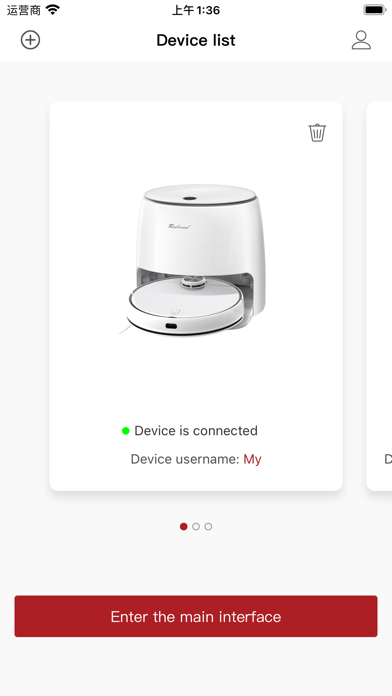
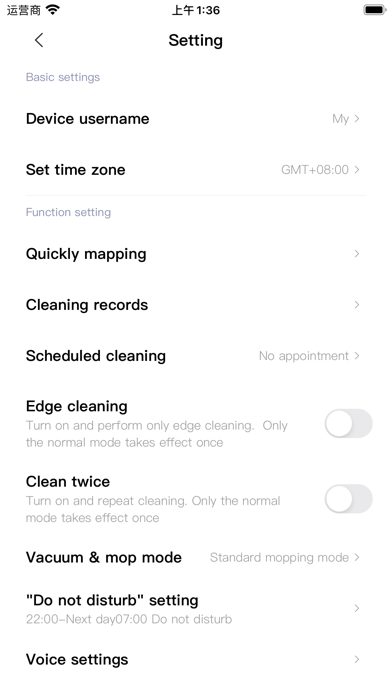
The Redroad app has been designed to realize your total control over your robot, from home layout to cleaning schedules, cleaning strength, and so on. Once you've set it up the way you want, you can leave your robot to work. ---- Feature Highlights ---- SERIOUSLY SMART MAPPING After it's first run around your home, your Redroad robot will show you your floorplan and automatically division of your rooms, opening a world of customizations. ADVANCED SCHEDULING Set multiple schedules from hourly to daily to weekly, hitting different rooms with each one. CUSTOMIZABLE CLEANING Users can choose "free" and "intelligent" control of the App to switch the cleaning mode at will, helping users in complex environments (with children, pets, too many rooms, and many ground items), and in different areas (kitchen, bedroom, living room, toilet, etc.) to complete different modes of cleaning. ZONE CLEANING Draw up to five zones when you want to tackle more stubborn dirt or just don't need the entire room cleaned. MULTI-LEVEL MAPPING Save up to five maps in your home and tailor cleaning to match each floor. Your robot will recognize the floor when it's on automatically, so you can simply watch it work. Contact Us Customer Service Phone: +852-6647-3087 E-mail: info@redroadglobal.com
Latest release
What’s New
Fixed known bugs and optimized the user experience.
Audience growth
Ratings growth
Baseline captured. Growth appears after the crawler observes a changed rating count.
Momentum comes from crawler snapshots for the tracked storefront. “Viral growth signal” means unusually fast recent rating gains; it is an indicator, not download data.
Price tracking
Price intelligence
First snapshot captured. The trend line starts after the next crawler price observation.
- First observed Aug 19, 2026 · 8:36 AM Free
Screenshots