About this app
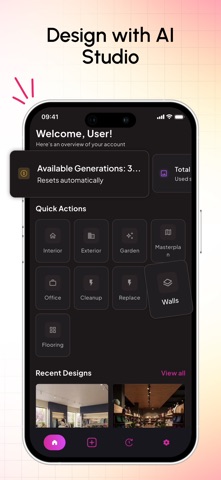
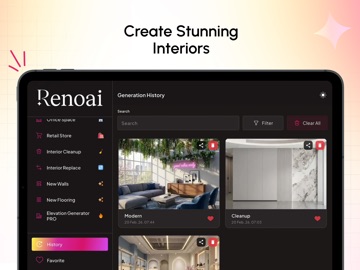
Renovation decisions should feel clear, not confusing RenoAI helps you plan renovations using a real photo of your space. Upload your room, explore realistic design styles, and see how your space can look before work begins. Built for homeowners and design professionals, RenoAI focuses on visual clarity so decisions feel easier and more confident. How RenoAI Works 1. Upload a real photo of your room or space 2. Choose interior styles, colors, and moods 3. Generate hyper-realistic renovation visuals 4. Explore multiple design variations instantly 5. Refine outputs using advanced design controls Key Features 1. Photo-Based Design Visualization Start with an actual image of your space, not a template. RenoAI generates renovation visuals that align with real layouts and proportions. 2. Hyper-Realistic Interior Designs Explore multiple design styles, finishes, lighting moods, and render outputs, ranging from realistic to raw, without long back-and-forth cycles. 3. Advanced Creative Controls Fine-tune designs using creative precision controls, render styles, scene moods, lighting options, and aspect ratios to achieve better visual accuracy. 4. Faster Design Decisions Reduce uncertainty, speed up approvals, and align expectations early. Ideal for both personal renovation planning and client presentations. Who RenoAI Is For: Homeowners planning renovations Interior designers and architects Renovation consultants and firms Real estate and property professionals Why RenoAI Most renovation problems start before the work begins. Unclear visuals and too many assumptions make decisions harder. RenoAI helps bring clarity early so planning feels easier and more organized. RenoAI does not replace designers or contractors. It helps everyone plan better, communicate clearly, and make smarter decisions before work starts. Start Renovating Smarter Upload your space Explore design possibilities Plan with confidence Download RenoAI and see your renovation before it happens.
Latest release
What’s New
Bug fixes & performance enhancement
Audience growth
Ratings growth
Baseline captured. Growth appears after the crawler observes a changed rating count.
Momentum comes from crawler snapshots for the tracked storefront. “Viral growth signal” means unusually fast recent rating gains; it is an indicator, not download data.
Price tracking
Price intelligence
First snapshot captured. The trend line starts after the next crawler price observation.
- First observed Aug 7, 2026 · 12:22 AM Free
Screenshots