About this app
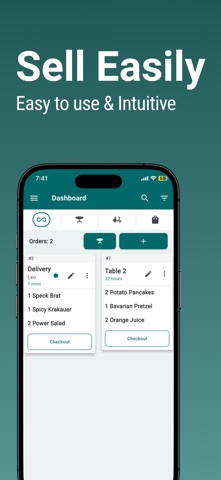
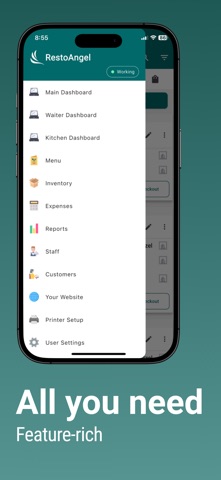
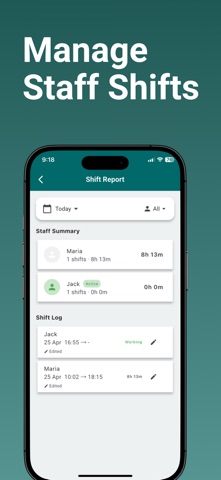
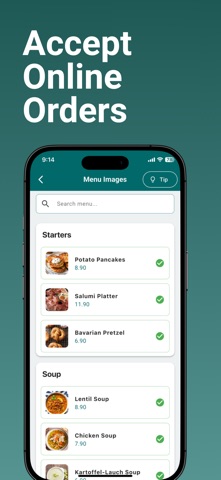
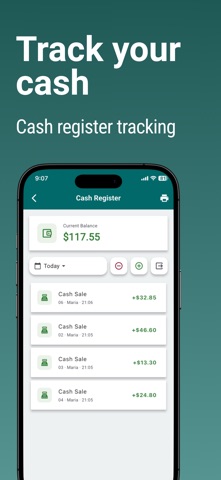
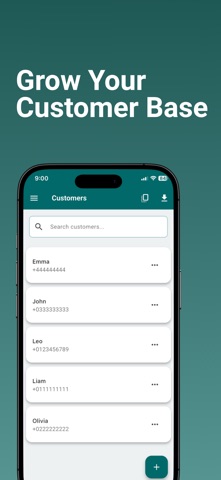
Restaurant POS & Inventory Management System – Powerful & Easy to Use Use cases: 1. POS for restaurants 2. POS for bars 3. POS for cafes 4. POS for food trucks 5. POS for hospitality 6. POS for food businessesUse cases: Looking for a reliable restaurant POS system with inventory management? Our all-in-one Restaurant POS Software is designed to help restaurants, cafés, and food businesses streamline operations, track sales, and manage inventory with ease. Key Features Order Management – Take and manage orders in real-time. Auto Table Management – Automatically track table availability for smooth seating. Staff Management – Invite your staff with role-based access (Waiter, Cashier, Owner, Kitchen). Inventory Tracking – Monitor stock levels, prevent shortages, and optimize purchasing. Expense Tracking – Keep track of all business expenses with detailed records. Multi-Role Dashboards – Dedicated views for Cashiers, Owners, Kitchen Staff, and Waiters. Menu Management – Customize and update your menu using an intuitive menu builder. Sales & Performance Reports – Get real-time insights on top-selling items, waiter sales, and order history. Customer Database – Store customer details, track purchase history, and export data. Online Ordering - Accept online orders, have your restaurant website and accept online orders using link or QR code. Fast and Responsive Support – Our team is always ready to assist you. Why Choose This POS System? User-Friendly Interface – Designed for fast restaurant billing and smooth operations. Complete Restaurant Management – Ideal for cafés, fine dining, QSRs, food trucks, and bars. Cloud-Based & Secure – Access your restaurant data anytime, anywhere. Take your restaurant operations to the next level with an efficient and easy-to-use POS system. Terms of Use (Apple Standard EULA): https://www.apple.com/legal/internet-services/itunes/dev/stdeula/ Download now and take your restaurant to the next level!
Latest release
What’s New
Cash reconciliation by cashier. Online ordering hours with automatic and manual scheduling.
Audience growth
Ratings growth
Baseline captured. Growth appears after the crawler observes a changed rating count.
Momentum comes from crawler snapshots for the tracked storefront. “Viral growth signal” means unusually fast recent rating gains; it is an indicator, not download data.
Price tracking
Price intelligence
First snapshot captured. The trend line starts after the next crawler price observation.
- First observed Aug 23, 2026 · 11:09 AM Free
Screenshots