About this app
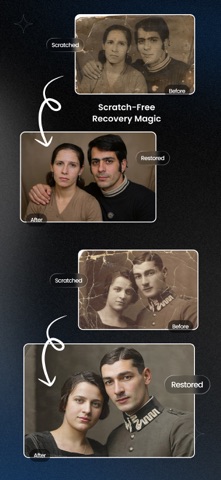
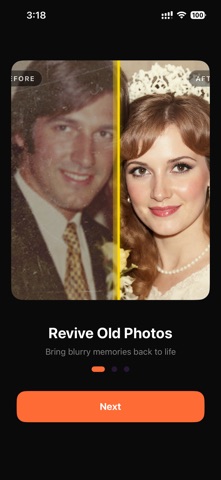
Bring your old photos back to life. ClearPast uses powerful AI to restore, colorize, and sharpen any photo in seconds. No editing skills, no complicated tools. Just pick a photo and tap once. What you can do: RESTORE: Revive faded, damaged, and decades-old photos. Bring lost detail and clarity back to your most precious memories. COLORIZE: Turn black & white photos into vivid, lifelike color with a single tap. See your history the way it really looked. ENHANCE: Fix blur, noise, and low resolution. Get crisp, HD-quality results ready to print or share. DESCRATCH: Erase scratches, creases, tears, and spots, as if the damage was never there. Simple and easy to use: Pick a photo, tap once, watch it transform. No tutorials needed. Anyone can do it in seconds. Perfect for: - Old family photos and portraits - Faded or damaged prints - Scanned albums and film negatives - Black & white memories worth reliving Download ClearPast and give your memories the clarity they deserve. Terms of Use (EULA): https://www.apple.com/legal/internet-services/itunes/dev/stdeula/
Latest release
What’s New
- Improved AI for sharper, more detailed restoration - Better color accuracy on black & white photos - Faster processing - Bug fixes and performance improvements Loving ClearPast? Please leave a rating. It really helps!
Audience growth
Ratings growth
Baseline captured. Growth appears after the crawler observes a changed rating count.
Momentum comes from crawler snapshots for the tracked storefront. “Viral growth signal” means unusually fast recent rating gains; it is an indicator, not download data.
Price tracking
Price intelligence
First snapshot captured. The trend line starts after the next crawler price observation.
- First observed Aug 19, 2026 · 6:15 PM Free
Screenshots