About this app
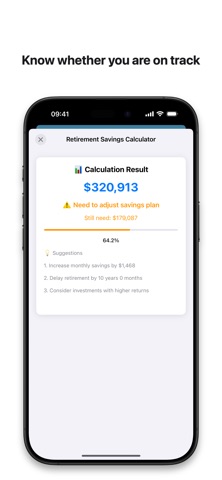
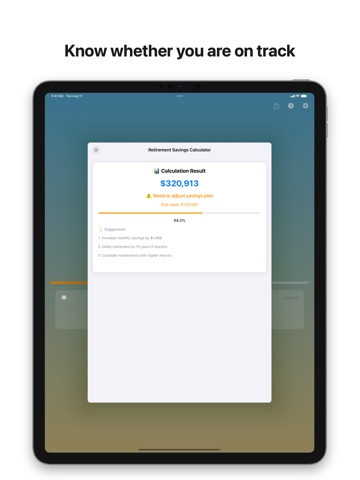
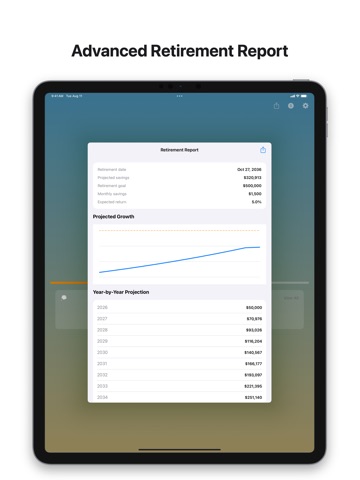
See exactly how long remains until retirement—and turn the wait into a plan. Retirement Countdown combines a motivating countdown with practical planning tools, Home Screen widgets, reminders, reports, and personal themes. Set your target date once, then keep your progress and retirement goal visible every day. COUNT DOWN TO YOUR RETIREMENT • View the years, months, and days remaining • Follow your progress toward your target date • Keep the countdown visible with Small and Medium Home Screen widgets • Share your countdown with friends, family, or coworkers PLAN WITH MORE CONFIDENCE • Estimate future savings with the retirement savings calculator • Compare projected savings with your retirement goal • Plan in USD, EUR, GBP, CNY, and other supported currencies • Unlock detailed guidance and practical next steps MAKE THE JOURNEY YOURS • Choose from inspiring background themes • Add a custom photo and enable automatic daily backgrounds • Save favorite retirement quotes for extra motivation • Receive weekly reminders and retirement milestone notifications CREATE A RETIREMENT REPORT Review year-by-year projections in an advanced retirement report, then export your plan as PDF or CSV when you want to keep a copy or share it. Retirement Countdown is useful for anyone planning a traditional retirement, exploring early retirement, following a FIRE goal, or preparing for a coworker's final day at work. PREMIUM Premium unlocks all themes, custom photos, automatic backgrounds, detailed savings guidance, multiple currencies, Home Screen widgets, milestone reminders, advanced reports, and PDF/CSV export. Weekly and yearly subscription options may be available. Subscriptions renew automatically unless canceled through your Apple Account settings. Start your retirement countdown today and make every remaining day count. Privacy Policy: https://cookie-twig-39d.notion.site/Privacy-Policy-2338ba954ef380489a9acfa53a9524e6 This app uses the standard Apple Terms of Use (EULA): https://www.apple.com/legal/internet-services/itunes/dev/stdeula/
Latest release
What’s New
Bug fixes and improvements.
Audience growth
Ratings growth
Baseline captured. Growth appears after the crawler observes a changed rating count.
Momentum comes from crawler snapshots for the tracked storefront. “Viral growth signal” means unusually fast recent rating gains; it is an indicator, not download data.
Price tracking
Price intelligence
First snapshot captured. The trend line starts after the next crawler price observation.
- First observed Sep 14, 2026 · 6:02 PM Free
Screenshots