About this app
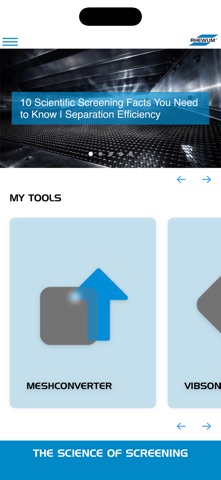
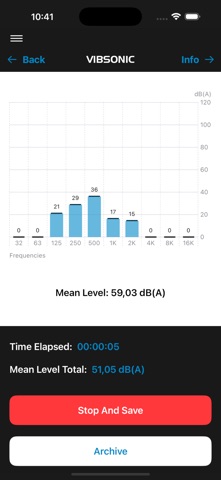
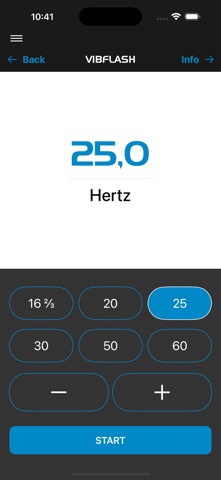
Get the Maximum from Your Screening Machine – 5 Tools in One App Optimize your screening processes, increase product quality and maximize throughput. The RHEWUM ScreenSpector App transforms your smartphone into a versatile diagnostic and optimization tool – free and ready to use immediately. FIVE TOOLS FOR MAXIMUM EFFICIENCY VibChecker – 3D Vibration Analysis Ensure your machine runs with optimal parameters. Measure frequency and amplitude in three dimensions. Incorrect vibration parameters mean poor separation efficiency, reduced throughput and increased wear. VibFlash – Digital Stroboscope Check the exact operating frequency visually in seconds. Precise stroboscope (16-60 Hz) without additional equipment. VibSonic – Sound Pressure Measurement Detect problems before they lead to costly downtime. Systematic noise monitoring reveals bearing wear, loose screws or defects early. MeshConverter – Mesh Size Converter Avoid errors in screen selection. Lightning-fast conversion between metric system and mesh. The integrated tilt sensor automatically calculates the projected mesh size for inclined screen decks. CapacityChecker – Capacity Calculation Run your machine in the optimal range. Overloading leads to misplaced material, underloading wastes energy and capacity. Find the optimum. YOUR BENEFITS • Higher separation efficiency through optimal vibration parameters • Fewer unplanned downtimes through early detection • Better product quality through correct machine settings • Maximum throughput at optimal loading • Free – all 5 tools without hidden costs THE SCIENCE OF SCREENING Scientifically based tools for measurably better results. For maintenance technicians, plant managers and everyone who wants to get more from their screening machines. Download now for free and optimize your processes! RHEWUM GmbH 42899 Remscheid, Germany +49 2191 5767-0 www.rhewum.com info@rhewum.de
Latest release
What’s New
Fresh new design! We've updated the app to match our new corporate identity for a cleaner, more modern look. Plus bug fixes and small improvements.
Audience growth
Ratings growth
Baseline captured. Growth appears after the crawler observes a changed rating count.
Momentum comes from crawler snapshots for the tracked storefront. “Viral growth signal” means unusually fast recent rating gains; it is an indicator, not download data.
Price tracking
Price intelligence
First snapshot captured. The trend line starts after the next crawler price observation.
- First observed Aug 19, 2026 · 9:37 AM Free
Screenshots