About this app
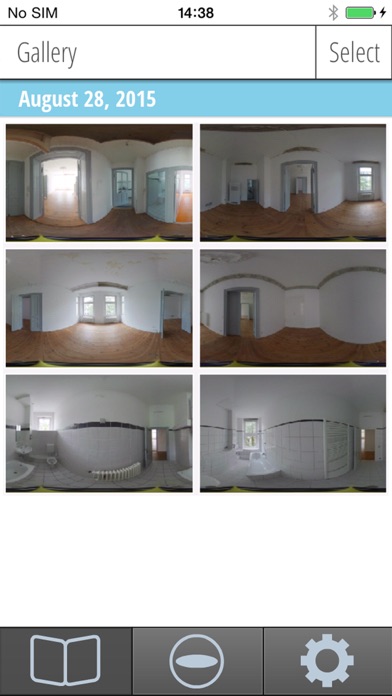
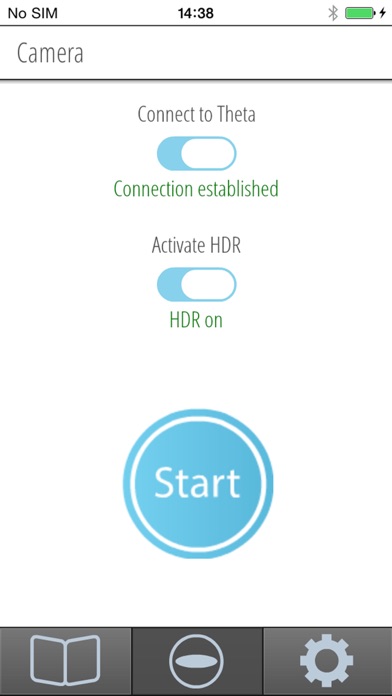
Take & generate high quality 360° HDR images with RICOH THETA with one click and upload them directly to your PanoCreator tours. Get the most out of your RICOH THETA camera by this new HDR App. RICOH THETA HDR is the world’s first app to create high dynamic range 360° pictures with the RICOH THETA camera. You get high quality 360° HDR pictures with just one click thanks to the automatic processing. The HDR App takes three 360° pictures with different exposures (correctly lit, underexposed, overexposed). Afterwards all three pictures are automatically being merged to a perfectly lit high quality 360° HDR picture. Imbalanced illuminated rooms, e.g. with bright window areas and dim corners, can perfectly be presented that way. It is also highly recommended to use the HDR app in bad lighting conditions in order to reduce the image noise. All 360° HDR pictures are being stored in full resolution in your photo album, which means that they are always on hand and can immediately be forwarded to any given address. Connect the app with your PanoCreator or CasaTour account and upload 360° HDR images directly to your virtual tours. This HDR app requires the use of a RICOH THETA camera. FEATURES - 360° HDR pictures (high dynamic range) easily taken by only one click - Direct Connection to any RICOH THETA camera via WiFi - Turn normal 360° pictures into impressive 360° HDR pictures - Send 360° HDR pictures in high resolution wherever you want - Upload 360° HDR pictures into your PanoCreator virtual tours How to use the RICOH THETA HDR App: Install RICOH THETA HDR on your smartphone and establish a connection to the RICOH THETA camera via WLAN. Done! From now on you can control the RICOH THETA camera by your smartphone. Let your friends and customers enjoy this new high quality 360° HDR pictures. Quick Guide Step 1 – Install the HDR App Step 2 – Establish a connection to your RICOH THETA camera via WiFi Step 3 – Start the HDR app, click on the button „Connect Theta“ and move the button „Activate HDR“ to the right Step 4 – Push the „Start“ button to take a 360° HDR picture
Latest release
What’s New
This update from Apple will improve the functionality of this app. No new features are included. - bugfixes
Audience growth
Ratings growth
Baseline captured. Growth appears after the crawler observes a changed rating count.
Momentum comes from crawler snapshots for the tracked storefront. “Viral growth signal” means unusually fast recent rating gains; it is an indicator, not download data.
Price tracking
Price intelligence
First snapshot captured. The trend line starts after the next crawler price observation.
- First observed Aug 19, 2026 · 11:32 AM Free
Screenshots