About this app
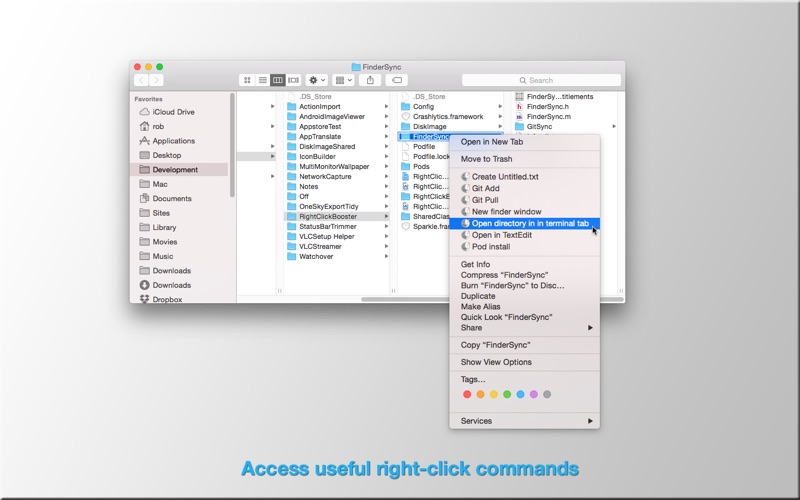
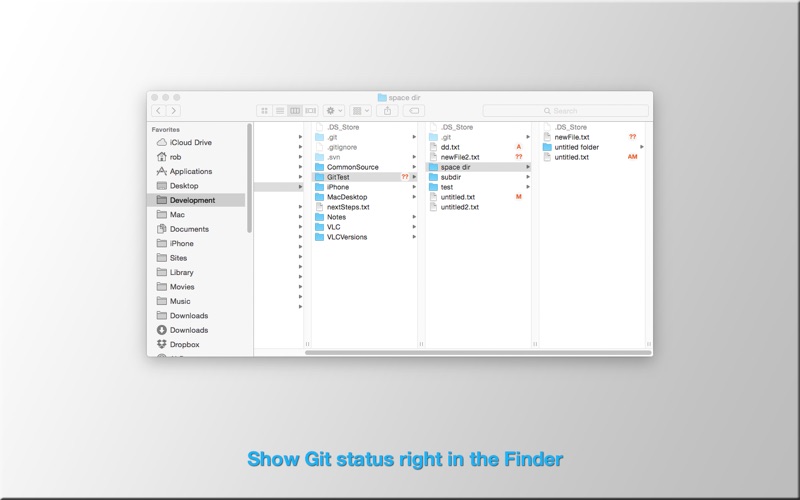
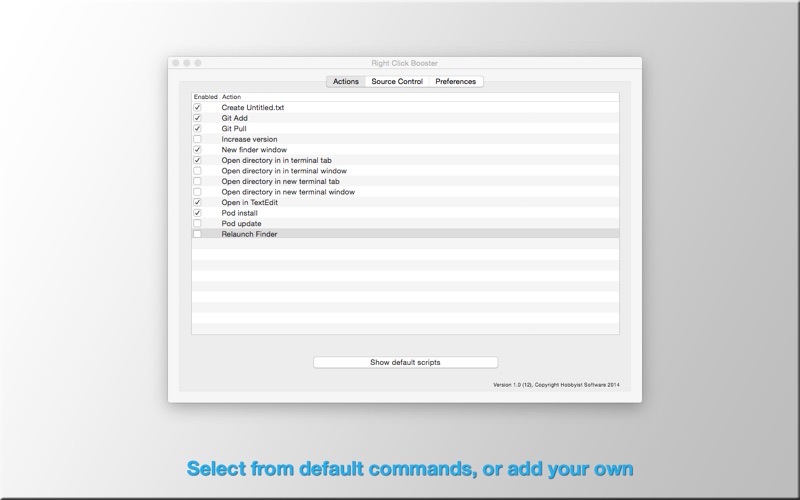
Add useful commands on right click (or ctrl-click). Totally scriptable to let you add the commands you need. Includes actions useful for all power-users, and additional actions for developers. Right Click Booster uses the powerful new APIs in Yosemite to give you extra options when you right-click, or ctrl-click on files in the finder. Useful commands include... -Create untitled.txt at this location -Open file in Text Edit -Open this directory in the terminal -Toggle hidden files -Open a new Finder window at the current directory All of this is highly configurable, so you can tweak it to suit your workflow. ==For Developers== Show the status of files in your development directories. Status is taken directly from git - so it integrates perfectly with your existing source control. Add useful shortcuts to the right-click menu to speed up your development -Git add, Git pull -Pod install, Pod update -Increase build version number ==How Scripts Work== Right Click Booster relies on scripts which are run from your User Scripts directory. The User Scripts directory is part of Apple's security system. Only you can add scripts to this directory, so you control what scripts can be run. Right Click Booster provides a set of default scripts which you can install, or you can write your own scripts and use those.
Latest release
What’s New
New action - 'Toggle hidden files'
Audience growth
Ratings growth
Baseline captured. Growth appears after the crawler observes a changed rating count.
Momentum comes from crawler snapshots for the tracked storefront. “Viral growth signal” means unusually fast recent rating gains; it is an indicator, not download data.
Price tracking
Price intelligence
First snapshot captured. The trend line starts after the next crawler price observation.
- First observed Oct 2, 2026 · 5:37 PM Free
Screenshots