About this app
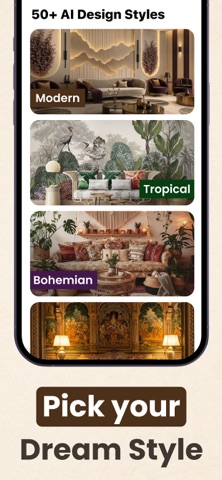
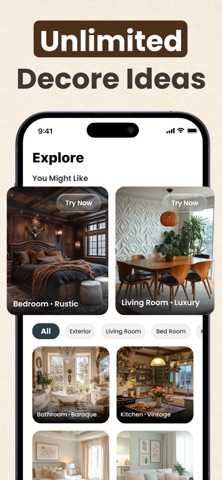
Room Planner: Interior Design helps you plan any room, home, or house makeover with AI interior design. Generate decor ideas, layout furniture, and preview room design in minutes. Use the home planner to try styles, save projects, and turn inspiration into a realistic plan you can share. Main Features • AI Room Generator – Get interior design ideas for living rooms, bedrooms, kitchens, and more. Start from a photo or a clean canvas. • Style Presets – Explore modern, minimalist, Scandinavian, boho, and classic looks to guide your home decor. • Furniture & Layout Planner – Arrange sofas, beds, tables, and storage with simple drag-and-drop and helpful spacing hints. • Color & Materials – Test wall paint, flooring, and fabric palettes to see what fits your room design. • Before/After Makeover – Save multiple versions, compare layouts, and track your progress from idea to finished space. • Boards & Notes – Organize inspirations, create checklists, and keep measurements in one place. • Share & Export – Send designs to family, roommates, or contractors for feedback and next steps. • Private by Default – Your projects stay in your account unless you choose to share. Who Can Use This App • Architecture interns & students refining studio projects and layout studies • Aspiring interior designers building portfolios and exploring styles • Homeowners & renters planning room makeovers and furniture placement • DIY enthusiasts testing color palettes, decor, and materials before buying • Real estate & homestaging pros creating quick visual concepts to share with clients • Small business owners (cafés, salons, studios) planning welcoming interiors Whether you’re setting up a first apartment, refreshing a family house, or planning a small room makeover, Architech gives you clear, visual guidance. Turn home decor inspiration into an actionable planner—test furniture placement, refine color choices, and make confident design decisions without guesswork. Ready to transform your space? Download Room Planner: Interior Design to plan rooms, explore styles, and create a home you love—one confident design step at a time. Subscribe to get Pro access to all features. You will be charged after the purchase confirmation. Subscriptions auto-renew 24 hours before the expiration date. You can manage your subscriptions in Account Settings on the App Store. Privacy Policy: https://sites.google.com/view/ai-interior-design/privacy-policy Terms & Condition: https://sites.google.com/view/ai-interior-design/terms-conditions
Latest release
What’s New
Better image quality 4K export support Performance improvements & bug fixes
Audience growth
Ratings growth
Baseline captured. Growth appears after the crawler observes a changed rating count.
Momentum comes from crawler snapshots for the tracked storefront. “Viral growth signal” means unusually fast recent rating gains; it is an indicator, not download data.
Price tracking
Price intelligence
First snapshot captured. The trend line starts after the next crawler price observation.
- First observed Aug 11, 2026 · 8:12 AM Free
Screenshots