About this app
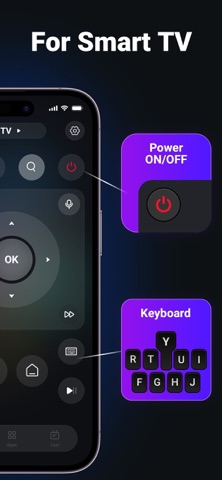
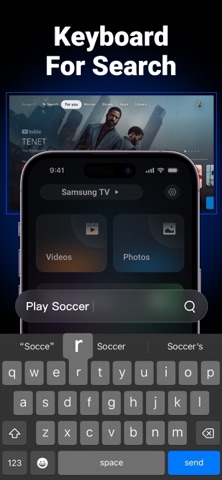
RoomTV: Your Ultimate Smart TV Management App RoomTV is the must-have app for managing and controlling your smart TVs with ease. Whether you’re using an Roku, SONY, Samsung, LG, Google TV or other major TV brand, RoomTV is designed to give you full control over your TV viewing experience, all from the convenience of your smartphone. Key Features: • Effortless Room Management: Organize your smart TVs by rooms for easy management. Whether it’s the living room, bedroom, or home office, RoomTV lets you create rooms and assign TVs to each one, making it simple to control your TV setup. • Track TV Usage: Keep track of your TV’s usage time. RoomTV records how long each TV is in use, helping you monitor screen time and encouraging healthier viewing habits. Whether for personal or family use, you’ll have insights into usage patterns for smarter decisions. • Smart Usage Reminders: Receive intelligent, context-aware alerts to remind you when to turn off your TV. If a TV has been on for too long, RoomTV will send you a gentle reminder, helping you conserve energy and ensure that your screen time stays in check. • Universal Remote Control: Turn your phone into a powerful universal remote for any supported smart TV, including popular brands like Roku, LG, SONY, Samsung, and more. Adjust volume, change channels, navigate apps, and more, all from one app. Forget about multiple remotes; RoomTV consolidates them all! • Quick App Launching: Instantly launch apps on your TV with a single tap. Whether you want to open Netflix, YouTube, Disney+, or any other supported app, RoomTV lets you jump right into your favorite shows and movies in seconds. • Screen Mirroring: Cast media from your phone to your TV, including videos, photos, and presentations. RoomTV makes it easy to share content with family or friends on the big screen, making it the perfect companion for gatherings or work presentations. • Smart TV Buying Guide: Explore expert advice and tips for selecting the best smart TV, whether you’re looking for Roku, LG, SONY, Samsung, or other leading brands. RoomTV helps you navigate the latest TV models and choose the perfect one for your needs. • Seamless Compatibility: RoomTV works with a wide range of smart TVs, from Roku, LG, SONY, and Samsung to other popular brands. It’s the perfect app to manage all your devices, whether you have one TV or several spread throughout your home or business. • User-Friendly Interface: RoomTV’s intuitive design makes it easy to set up and navigate, ensuring that even non-tech-savvy users can manage their smart TVs like a pro. The app’s clean, simple interface is designed for easy interaction and quick access to all features. • Secure & Private: Your privacy is our top priority. RoomTV never collects unnecessary data and ensures your personal information is always secure. Enjoy all the features without worrying about your privacy. Why Choose RoomTV? • Full Control: Manage all your smart TVs with one simple app. No more juggling multiple remotes or apps—RoomTV consolidates all your TV management needs. • Intelligent Monitoring: Get real-time insights into your TV usage and receive helpful reminders to manage screen time effectively. • Wide Compatibility: Supports Roku, SONY, Samsung, LG and many other smart TV brands, making it perfect for homes and businesses with different TV models. • Smart Features: With features like app launching, screen mirroring, and usage tracking, RoomTV is more than just a remote control—it’s a complete TV management system. Note: RoomTV requires your phone or tablet to be connected to the same Wi-Fi network as your smart TV to use certain features. Some features may require specific TV models or software versions to function properly. ------------ For app support and more information, reach out to us at: Email: Mike19930218@gmail.com Terms of use: https://sites.google.com/view/roomtv/terms Privacy: https://sites.google.com/view/roomtv/privacy
Latest release
What’s New
Bug fixes and performance improvements.
Audience growth
Ratings growth
Momentum comes from crawler snapshots for the tracked storefront. “Viral growth signal” means unusually fast recent rating gains; it is an indicator, not download data.
Price tracking
Price intelligence
- First observed Aug 13, 2026 · 3:42 AM Free
Screenshots