About this app
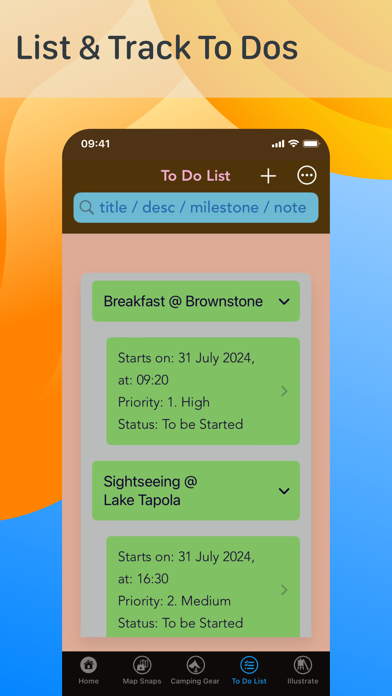
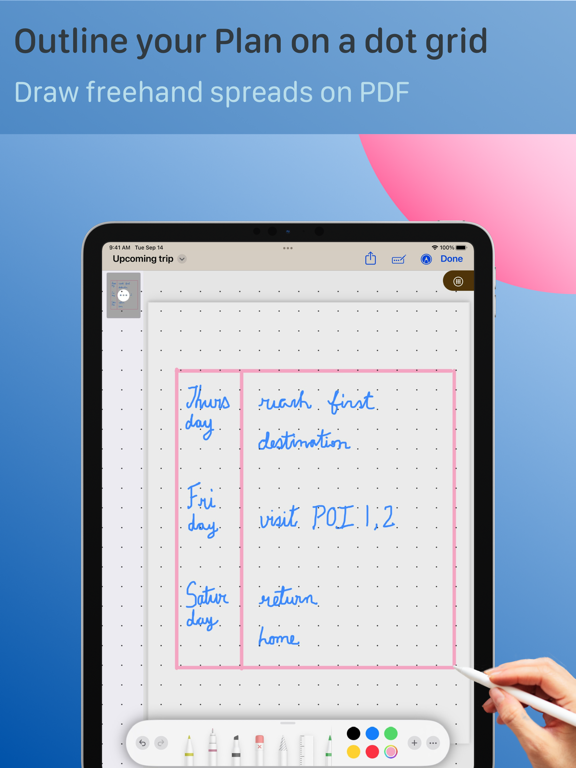
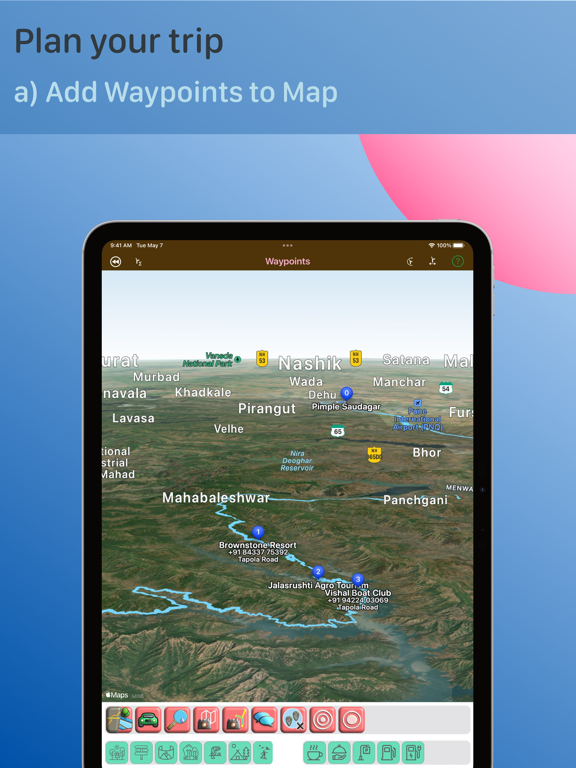
Routespunkt Hiking Grid Diary is an outdoor adventure Travel Planner with: - a Map to search and find places of interest to visit, - a single-trip Camping Gear Planner and Tracker, - a To Do List with related alerts to plan and track your hiking trip activities, and - an open Canvas to outline your trip, and to journal your trek day experiences. Take the app to your weekend backpacking trip, or to months of thru hiking when on vacation. App features: -- 1) Illustration Canvases [https://www.routespunkt.app/illustration-features] - 1.1 Moments Canvas: - Sketch 'n paint fav moments to give an artistic account of your trek - Add bordered pics and map snaps. Add Captions and make a Collage to remember you journey - Use the Ruler to draw your transit City landscape 1.2 Intelligent Shapes PDF Canvas: 1.2.1 Blank Canvas: - Toggle ON the dot grid and draw DIY freehand spreads to outline your trip - before trip starts - Draw art and DIY spreads to track your habits and mood - on trek days - Write a mini-Story on your travel adventures 1.2.2 Exported as a background from Moments Canvas: - Blur the background image - Draw arrows across map snaps, to show your places of visit - Use lined stationeries for trip planning and trek logging 1.2.3 Freehand writing and drawing: - Draw and pause, to get smooth strokes - Add Callout outlines - Draw a fab star on a night sky background - Copy, paste and rearrange, to get a starlit night sky - Dab and pull with the watercolor brush - fill your journal pages with color! - Draw a one-page manga comic of your travel story - Doodle on a thick-border-pic-frame Use the Fountain or Reed Pen to write in Calligraphy. On a Mountain Climbing trip, channel your exuberance upon summiting - indulge yourself in writing poetry! Import your PDF pages to make an Album. 2) Photo filters [https://www.routespunkt.app/photo-filters] - - Take a photograph at your fav Viewpoint, then preview and apply filter 3) Camping Gear List [https://www.routespunkt.app/camping-supplies-planner-features] - - Make a Packing List of your Trekking and Camping Supplies in advance. Track each supply based on its required date. Pack your travel bags for your outing! - View Summary Charts on the go 4) To Do List [https://www.routespunkt.app/organizing-a-to-do-list-with-related-alerts] - - List your trip day activities and track each one 5) Map Route and Snaps [https://www.routespunkt.app/maps-features] - - Search for a Place of Interest (POI) - Take a snapshot of your Region of visit, for your travel log - Tap a searched POI pin and add it as a waypoint to visit in your trip; add more of such places - On a trip leg, handover the next POI to your device's original maps app for Navigation 6) Group Chat [https://www.routespunkt.app/group-chat-features] - - Launch your device's original messaging app with up to 20 of your contacts pre-loaded Be lost in the wilderness for days on end. Come back and narrate your stories. Create a Scrapbook Journal, and relive your fun and insta-worthy moments, way down memory lane! (Do make it a routine to journal daily on your trek days, to capture your fresh impressions of each Day) Please Note: --- GPS/ GLONASS/ GALILEO/ BDS/ QZSS/ NavIC signal is required for Location. Internet connectivity is required to view Map data. Once the Waypoints have been added, Camping Supplies and To Dos can be tracked offline. This is a Subscription based App (with a subset of features available in the free base version of the App): a) Subscription will automatically renew unless canceled at least 24-hours before the end of the current trial/subscription period b) You can cancel anytime with your iTunes account settings c) Any unused portion of trial duration (introductory offer) will be forfeited when you purchase a subscription Do read the Policies of the App and its related Website: i) Terms of Use [https://www.routespunkt.app/terms-of-use], and ii) Privacy Policy [https://www.routespunkt.app/privacy-policy]
Latest release
What’s New
New: --- Added a new Configuration Toolbar in the new Map View. This toolbar appears on tapping the '+' button, then tapping on the CT1 button. The Configuration Toolbar has buttons for picking: 1. Map style - Standard / Imagery / Hybrid 2. Transport Type - Automobile / Walking / Cycling Updates: --- UI tweaks for Search toolbar appearances and animations. An animation around '+' button, to make it easier to locate, when the map region in its background has a color similar to itself. Fixes: --- UI tweaks in Article File Page and Illustrate Page.
Audience growth
Ratings growth
Baseline captured. Growth appears after the crawler observes a changed rating count.
Momentum comes from crawler snapshots for the tracked storefront. “Viral growth signal” means unusually fast recent rating gains; it is an indicator, not download data.
Price tracking
Price intelligence
First snapshot captured. The trend line starts after the next crawler price observation.
- First observed Aug 21, 2026 · 4:34 AM Free
Screenshots