About this app
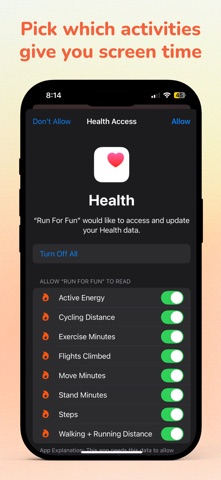
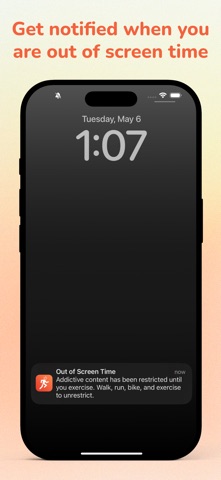
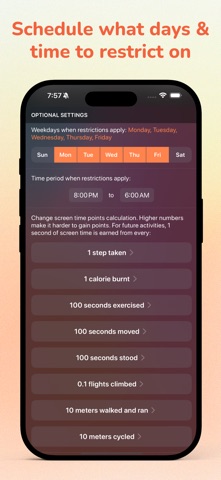
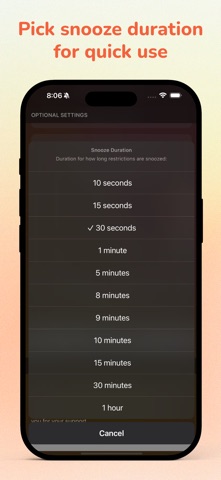
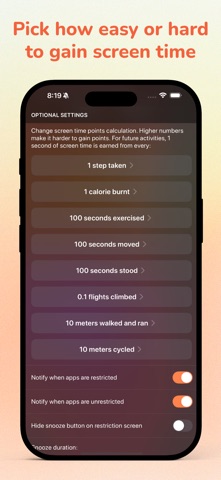
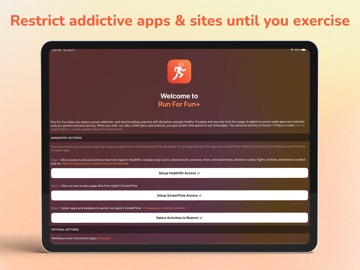
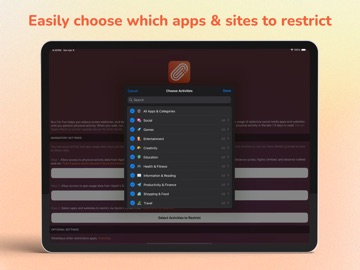
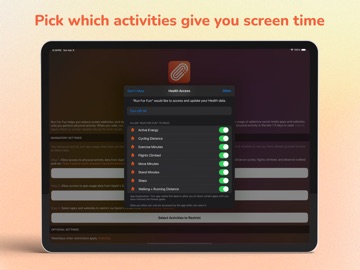
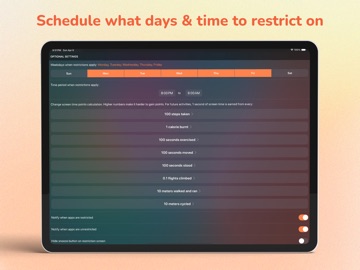
Run For Fun helps you reduce screen addiction, end doomscrolling, practice self-discipline, and get healthy. Privately and securely limit the usage of addictive social media apps and websites until you perform physical activity. When you walk, run, bike, climb stairs, and exercise, you gain screen time points to use those apps. - Your physical activity and app usage data stays private and is not transmitted to the developer. - Using an Apple Watch or similar capable device is optional but highly recommended for best results as it more accurately tracks things like steps, calories burnt, stairs climbed etc. - Your physical activity in the last 1.5 days is used. Usage: Step 1. Allow access to physical activity data from Apple's HealthKit. Includes step count, calories burnt, exercise, move, and stand times, distance cycled, flights climbed, and distance walked and ran. Step 2. Allow access to app usage data from Apple's ScreenTime. Step 3. Select apps and websites to restrict via Apple's ScreenTime. - Optionally, enable notifications for when apps are restricted and unrestricted. - You can choose which weekdays and between what time period restrictions apply. - You can snooze restrictions, choose how long to snooze for, or disable the snooze button altogether. - Change how screen time points are calculated from your physical activity. You control how easy or hard it is to gain screen time points. - Ask your friend to set a password for editing settings. Once set, only your friend can change settings after entering the password. This helps keep you accountable, since you won’t be able to adjust the settings on your own. - Drain all existing points to instantly restrict your apps until you exercise to gain more points. - Only around 550 KB to download and 1.5 MB to install. Free version is limited to restricting 1 app, 1 website, 1 category and all-day everyday schedule. This app is developed by a small indie developer. Please support development costs with a one time only in app purchase. This gets you lifetime access to restricting unlimited apps, websites, and categories, restrictions scheduled on specific weekdays and time, and custom screen time points calculation and snooze times. No subscriptions. Thank you for your support. If you have any questions, please email me from the app at: pran@pranapps.com ----- Running Dog icon created by https://www.flaticon.com/free-icons/dog
Latest release
What’s New
- As requested by users, added a new setting "Debug mode" which allows counting user manually entered data in Health app. This is disabled by default and manually entered data in health app is no longer counted towards your points. - Fixed a bug where the app was showing the wrong days for the restrictions - Fixed a bug where apps were getting restricted on wrong days on devices which didn't use Sunday as first day of the week - Updated app to use new iOS 26 Liquid Glass This app is developed by a small indie developer. Please support development costs with a one time only in app purchase. This gets you lifetime access to restricting unlimited apps, websites, and categories, restrictions scheduled on specific weekdays and time, and custom screen time points calculation and snooze times. No subscriptions. Thank you for your support. You can also support me by leaving me a review on the App Store. If you have any feedback, please email me from the app at: pran@pranapps.com
Audience growth
Ratings growth
Baseline captured. Growth appears after the crawler observes a changed rating count.
Momentum comes from crawler snapshots for the tracked storefront. “Viral growth signal” means unusually fast recent rating gains; it is an indicator, not download data.
Price tracking
Price intelligence
First snapshot captured. The trend line starts after the next crawler price observation.
- First observed Aug 8, 2026 · 12:32 AM Free
Screenshots