About this app
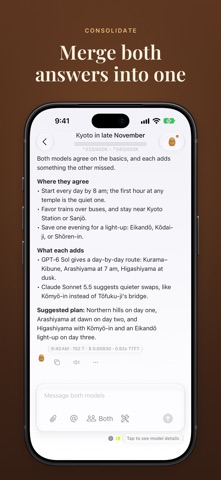
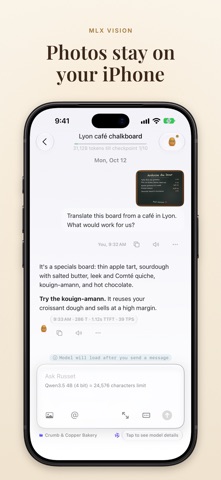
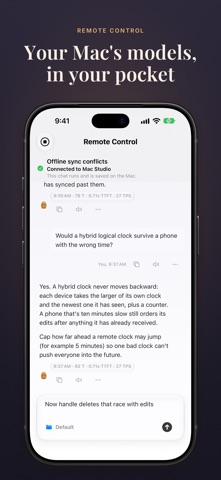
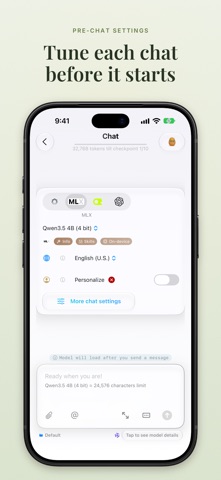
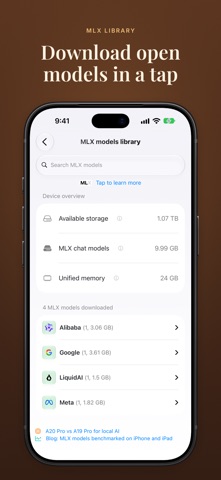
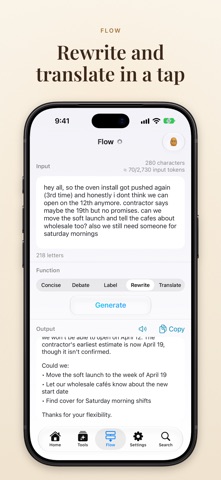
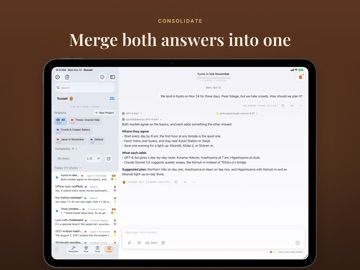
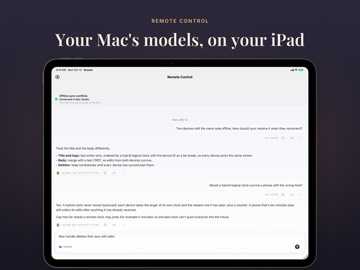
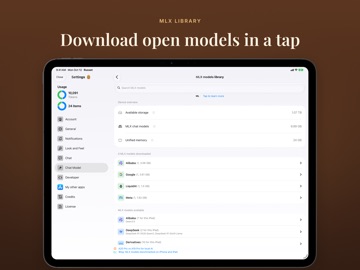
Russet runs AI models on your iPhone and iPad, so your chats stay on your iPhone and iPad. Most AI apps are a window onto someone else's computer. Everything you type goes to a server you'll never see, and you just hope it's treated well. Russet works the other way around. It runs models on the phone itself, either Apple Intelligence or open models like Qwen and Gemma that you download once and can then use with no connection at all. When you need something bigger, you can add your own OpenAI or OpenRouter key. Either way, your chat history lives on your device and nowhere else. Russet can also do something most AI apps can't: ask two models the same question at once. Put two cloud models in a group chat, say GPT and Claude, and each one answers without seeing the other's reply. Send a message to both, or to just one. When both have answered, tap Consolidate. A third model, which can be either of the two or any other, reads both answers and writes one. It keeps what's right in each, says where they agree, and where they differ, says which one is better supported. Two models that disagree tell you more than one model that sounds sure. A local model is easy to demo and hard to live with every day. Russet has what everyday use needs. - Group chats. Two models, one question, two independent answers. Each model keeps its own history of the chat. - Consolidate. Turn two answers into one that shows where they agree and where they don't. It works on any earlier turn too. - Private by default. Local models run offline. Nothing you type goes anywhere unless you pick a cloud model. - Your calendar, contacts, and health. Ask what's on tomorrow, when you're free, or how you slept, and the answer comes from data that never leaves your phone. - Flow. Paste in some text and summarize it, translate it, rewrite it, or have it argue the other side. - Speech. Turn text into natural-sounding speech on the device. - Projects. Keep related chats and files together. A file only goes to a cloud provider if you turn that on for that file. - Personas. A writing coach, a study buddy, a devil's advocate, or just a good listener. - Briefings. A daily, tomorrow, or weekly summary of what's coming up. - Your Mac, from your phone. Pick up a chat that's running on your Mac. The Mac does the work, and your keys stay there. - Widgets and Siri Shortcuts for starting a chat in one tap.
Latest release
What’s New
- Group chats: turn on Group chat when starting an OpenAI or OpenRouter chat to talk with two models at once. Send each message to both or just one, and compare their answers. - Use your iPhone and iPad as a remote to control chats with Russet on Mac locally. - Russet is now organized around projects, so each project's chats, speeches, files, and instructions stay together and are easy to pick back up.
Audience growth
Ratings growth
Momentum comes from crawler snapshots for the tracked storefront. “Viral growth signal” means unusually fast recent rating gains; it is an indicator, not download data.
Price tracking
Price intelligence
- First observed Aug 8, 2026 · 1:17 PM Free
Screenshots