About this app
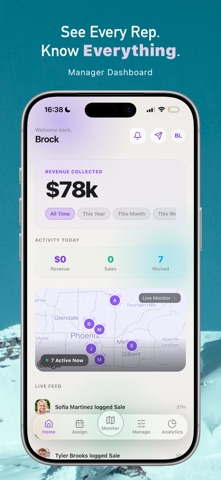
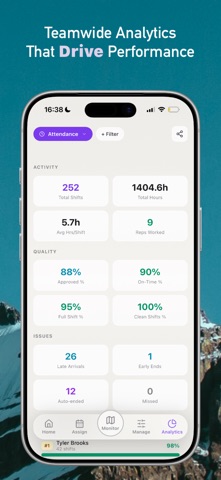
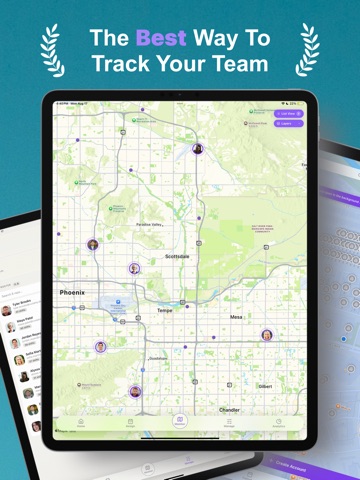
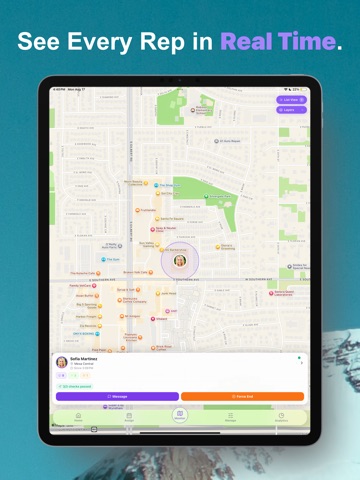
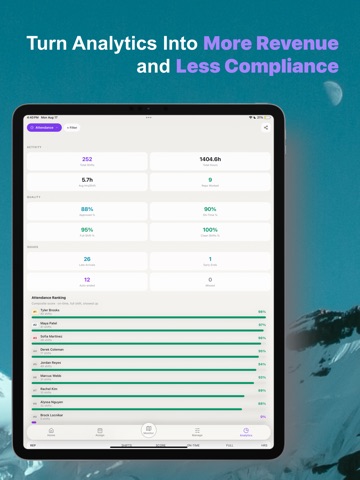
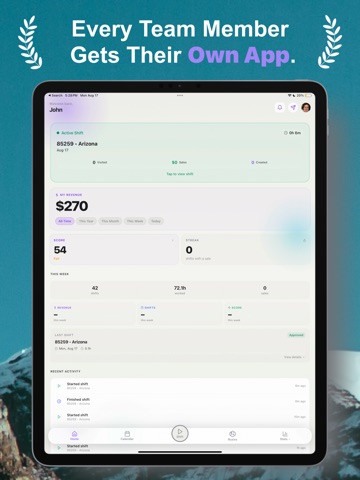
Ruxia is purpose-built for field sales and retail teams operating across store locations, territories, and the office. It gives managers real-time visibility, structured workflows, and performance analytics while protecting rep privacy. Whether you're leading a team or working in the field, Ruxia replaces spreadsheets, group texts, and manual timesheets with one streamlined platform. GETTING STARTED • Managers create their account and team at ruxia.io, then manage day-to-day operations from the app • Field reps sign up directly in the app and join their team using a simple invite code BUILT FOR MANAGERS • Create teams and invite reps with a simple team code • Set up store locations with map-based geofence boundaries • Define territories by city, county, or state and assign them to shifts • Schedule store, field ops, and office shifts with flexible templates • Define custom activity types that match your sales workflow, from contacts to closed deals • Build campaign templates with structured activity steps and conversion tracking • Monitor active shifts in real time with live GPS tracking for field ops • Review check-in and check-out photos • Run periodic location verification checks during shifts • View every pin dropped in the field with lead details, outcomes, and contact information • Access team analytics including attendance, hours worked, activity counts, and conversion funnels • Drill into individual rep performance with trend analysis over custom date ranges • Export reports for payroll and internal review • Send announcements and direct messages • Upload and share training materials and team resources • Approve or reject join requests • Archive team members while preserving historical data • Configure verification settings such as photo requirements and check-in frequency • Require a reason when force-ending a rep’s shift, with that reason shown to the rep in-app and via push notification BUILT FOR FIELD REPS • Check in to store shifts with photo verification and geofence validation • Start field ops shifts with territory-based geofenced check-in • Navigate assigned territories with live map guidance and boundary overlays • Drop pins at every stop and log outcomes, business names, and contact information • Log activities in real time with one-tap counters that follow your campaign template • Activities are queued locally and retried automatically, so nothing is lost with poor signal • Track attendance, hours, and productivity metrics • Filter stats by store, territory, campaign, or date range • View personalized performance insights with trend indicators • See upcoming shifts in a visual calendar • Cancel upcoming scheduled shifts directly in the app and provide a reason • Chat with your manager and view team announcements • Ask Ruxira, your built-in AI sales coach, for tips and strategy based on proven frameworks • Access training materials shared by your manager • Manage your profile and notification preferences PRIVACY BY DESIGN • Location is used only during active shifts for geofence verification and field ops GPS tracking. No continuous or background tracking occurs outside scheduled shifts • Rep device GPS coordinates for store shifts are not transmitted to or stored on our servers. Store geofence verification is performed entirely on-device, and only the pass/fail result is recorded • Field ops shifts record GPS trails and pin locations only during the active shift • Camera access is used solely for shift check-in and check-out photo verification • Shift photos are reviewed by your manager and then permanently deleted • Secure account management with email verification and password protection Whether you're managing 5 reps or 50, Ruxia gives you the tools to run a more accountable, organized, and performance-driven field operation without sacrificing your team’s privacy.
Latest release
What’s New
What’s New in Version 2.4 Ruxia 2.4 improves field operations, live monitoring, account visibility, and overall reliability. • Active B2B and D2D shifts now load accounts within the rep’s active territory, keeping maps focused on relevant opportunities. • Live Monitor maps now show active rep avatars and profile photos at their latest locations. • Territory-focused map framing makes it easier for managers to see their team’s coverage area. • Recent Activity now includes territory-less shifts and provides more accurate field activity updates. • Rep history now displays accurate deliverable counts for field and store shifts. • Improved map loading, directions, account details, shift checkout, and background location behavior. • Clearer messages explain when account data cannot load or checkout cannot be completed. • Additional performance and reliability improvements throughout the app.
Audience growth
Ratings growth
Baseline captured. Growth appears after the crawler observes a changed rating count.
Momentum comes from crawler snapshots for the tracked storefront. “Viral growth signal” means unusually fast recent rating gains; it is an indicator, not download data.
Price tracking
Price intelligence
First snapshot captured. The trend line starts after the next crawler price observation.
- First observed Sep 4, 2026 · 5:00 AM Free
Screenshots