About this app
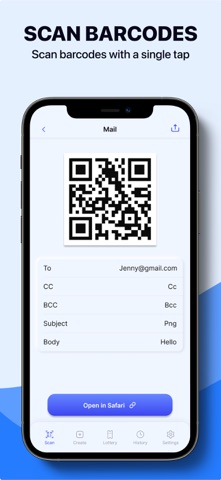
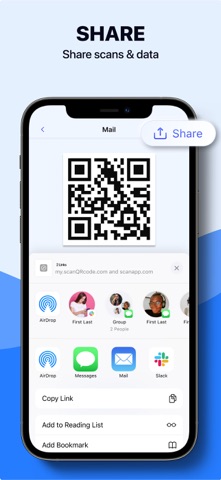
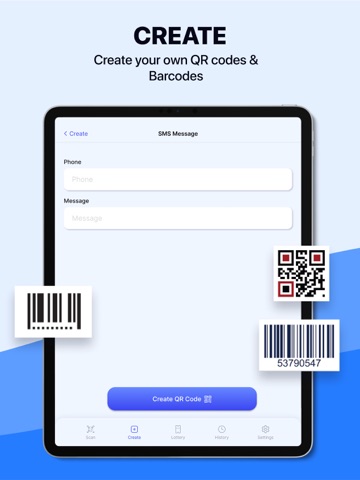
Are you looking for a faster-than-ever modern phone QR code scanning app? Experience Scan QR Code - Create QR Code - a quick and convenient QR code scanning and creation app. We've developed this app to meet all your requirements when it comes to accessing information from QR codes or performing related tasks effortlessly. Join us in exploring the unique features and utility that Scan QR Code - Create QR Code offers. With QR Code - QR Create & Generator, you'll discover a versatile app that not only scans QR codes but also offers various other features. It can scan different types of barcodes, read QR codes, create your own QR codes, store scan history, easily share and save QR code content, access the information specific to each QR code, all within a simple and user-friendly interface. With Scan QR Code - Create QR Code, you'll no longer worry about finding the right app to scan QR codes. This app is a reliable assistant, bringing convenience and efficiency to your daily life. KEY FEATURE: Scan All Barcode Types: The app allows you to scan various popular barcode types, helping you quickly access information from products and barcodes. Scan and Create Diverse QR Codes: You can scan and create different types of QR codes, including phone numbers, SMS messages, Gmail, Wi-Fi, GPS locations, URLs, text, and popular apps like WhatsApp, Viber, Telegram, TikTok, Twitter, Snapchat, and Spotify. Scan Images from the Library: You can scan QR codes from images in your library, enabling you to access information from saved images. Customize Colors: You can customize the background and border colors for the QR codes you create. Open Links in Corresponding Apps: When scanning a QR code, the app will open the link with the corresponding app. Share QR Code Content: You can share the content and images of the QR codes you've created with others. Scan and Create History: The app saves a history of scanned and created QR codes, allowing you to review and delete previously created QR codes. Scanning, creating, and managing QR codes has never been easier with QR Code - QR Create & Generator. Try it now and start trying it to make your daily life easier! For Terms of Use, please visit https://sites.google.com/view/terms-of-service-qr-code For Privacy Policy, please visit https://sites.google.com/view/privacy-policy-qr-code-qr
Latest release
What’s New
Dear Users, We fixed several bugs and usability improvements. Thank you for keeping Scan QR Code - Create QR Code to date. We're frequently updating the app in order to give you the best experience.
Audience growth
Ratings growth
Momentum comes from crawler snapshots for the tracked storefront. “Viral growth signal” means unusually fast recent rating gains; it is an indicator, not download data.
Price tracking
Price intelligence
- First observed Aug 11, 2026 · 1:19 AM Free
Screenshots