About this app
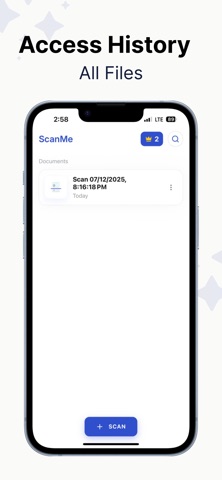
ScanMe turn your phone into a powerful portable scanner! ScanMe Document Scanner lets you quickly scan documents, receipts, IDs, notes, and more with crystal-clear quality. After scanning, you can cut, crop, and split pages effortlessly — and even edit the text using built-in OCR technology. Key Features: Fast & Clear Scanning – Capture documents in high resolution with auto-edge detection. Cut & Crop Tools – Trim, split, or reshape any scanned page for perfect results. Text Editing (OCR) – Convert scans into editable text and make changes instantly. Multi-Page Scanning – Scan multiple pages into a single organized PDF. Smart Enhancements – Apply filters, adjust brightness, and clean up documents. Export & Share – Save as PDF or image and share via email, cloud, or messaging apps. Secure Storage – Keep your sensitive documents protected and organized. Whether for school, work, or personal use, Document Scanner gives you all the tools you need to digitize and edit documents effortlessly. https://elgolearninglimited.com/privacy-policy/ https://elgolearninglimited.com/term-of-use/
Latest release
What’s New
Bug Fixed.
Audience growth
Ratings growth
Baseline captured. Growth appears after the crawler observes a changed rating count.
Momentum comes from crawler snapshots for the tracked storefront. “Viral growth signal” means unusually fast recent rating gains; it is an indicator, not download data.
Price tracking
Price intelligence
First snapshot captured. The trend line starts after the next crawler price observation.
- First observed Aug 8, 2026 · 4:49 PM Free
Screenshots