About this app
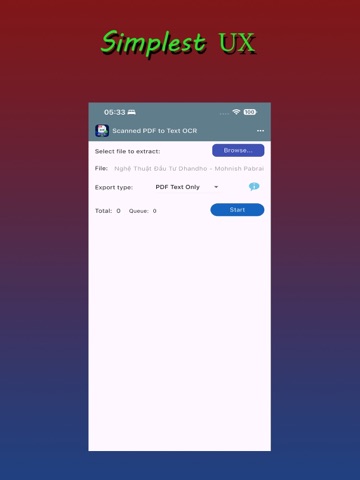
Scanned PDF to Text OCR helps you convert scanned PDF files into searchable, selectable, and copyable text quickly and reliably. Whether you are working with scanned books, contracts, reports, receipts, or archived documents, the app turns image-based PDFs into text you can search, copy, and reuse. Export your results as searchable PDF with an invisible text layer or as plain text for easy editing and sharing. The app is designed especially for large scanned PDF files. It can process hundreds of pages smoothly while keeping the original document layout. A powerful built-in resume system automatically saves progress while processing, so if the app is interrupted by low memory, an unexpected error, or a crash, it can continue from the last completed page instead of starting over. Scanned PDF to Text OCR is built for reliable OCR processing when you need accurate results and dependable performance with large documents.
Latest release
What’s New
Bug fixes
Audience growth
Ratings growth
Baseline captured. Growth appears after the crawler observes a changed rating count.
Momentum comes from crawler snapshots for the tracked storefront. “Viral growth signal” means unusually fast recent rating gains; it is an indicator, not download data.
Price tracking
Price intelligence
First snapshot captured. The trend line starts after the next crawler price observation.
- First observed Aug 25, 2026 · 10:15 PM Free
Screenshots