About this app
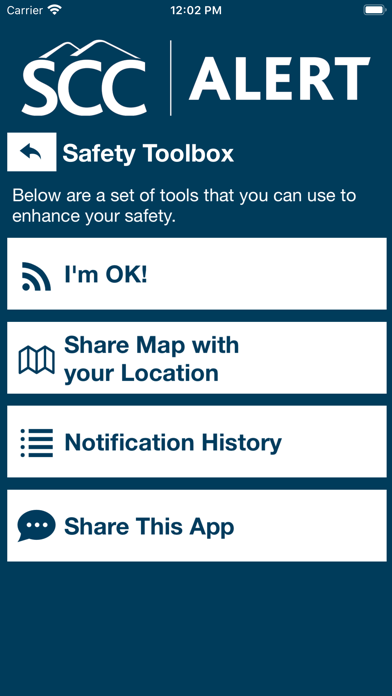
SCC Alert is the official safety app of Southwestern Community College. It is the only app that integrates with SCC's safety and security systems. Campus Safety and Security has worked to develop a unique app that provides students, faculty and staff with added safety on the SCC campus. The app will send you important safety alerts and provide instant access to campus safety resources. SCC Alert features include: - Panic Button / Mobile Bluelight: Send your location to SCC security in real-time in case of a crisis - Friend Walk: Send your location to a friend through email or SMS on your device. Once the friend accepts the Friend Walk request, the user picks their destination and their friend tracks their location in real time; they can keep an eye on them to make sure they make it safely to their destination. - Tip Reporting: Multiple ways to report a safety/security concern directly to SCC security. - Safety Toolbox: Enhance your safety with the set of tools provided in one convenient app. - Notification History: Find previous Push Notifications for this app with the date and time. - Share Map with your Location: Send your location to a friend by sending them a map of your position. - I’m OK!: Send your location and a message indicating that “You’re OK” to a recipient of your choosing. - Campus Maps: Navigate around the SCC area. - Emergency Plans: Campus emergency documentation that can prepare you for disasters or emergencies. This can be accessed even when users aren’t connected to Wi-Fi or cellular data. - Support Resources: Access support resources in one convenient app to enjoy a successful experience at SCC. - Safety Notifications: Receive instant notifications and instructions from SCC safety when on-campus emergencies occur. Download today to ensure you’re prepared in the event of an emergency.
Latest release
What’s New
Performance improvements
Audience growth
Ratings growth
Baseline captured. Growth appears after the crawler observes a changed rating count.
Momentum comes from crawler snapshots for the tracked storefront. “Viral growth signal” means unusually fast recent rating gains; it is an indicator, not download data.
Price tracking
Price intelligence
First snapshot captured. The trend line starts after the next crawler price observation.
- First observed Aug 20, 2026 · 2:19 AM Free
Screenshots