About this app
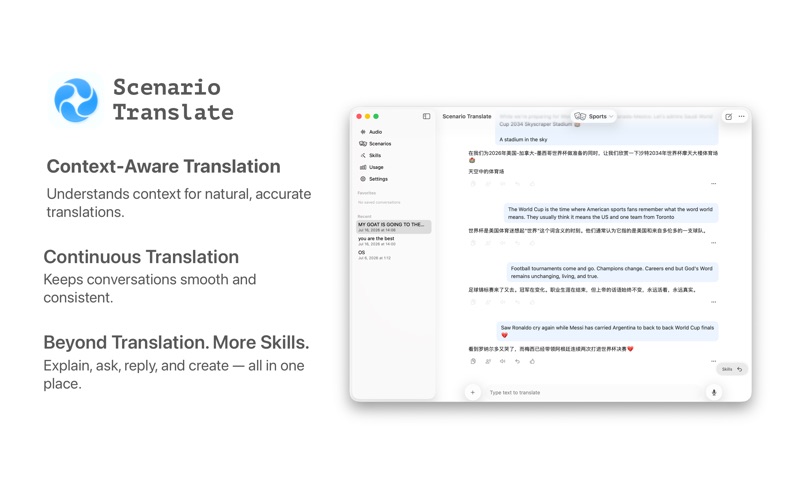
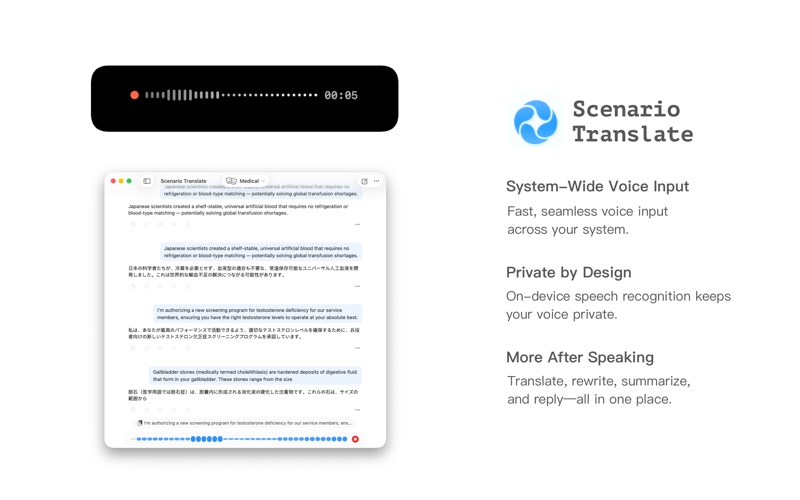
Scenario understands context — not just words. Instead of translating sentence by sentence, it reads the whole scene: an article, a chat, a document. The result? Translations that stay natural, accurate, and consistent from start to finish. CONTEXT-AWARE TRANSLATION Hand Scenario a full article or conversation and it translates with the full context intact. Pronouns stay right. Terminology stays consistent. The flow stays natural. Export to CSV when you're done. SYSTEM-WIDE VOICE INPUT Speak to your Mac anywhere — Scenario brings fast, seamless voice input across your entire system. Double-tap a modifier key and dictate into any app. Powered by on-device speech recognition for speed and privacy. SCREENSHOT & OCR TRANSLATION Capture any region of your screen; Scenario reads and translates the text in one step. Perfect for foreign web pages, PDFs, and e-books. Powered by Apple Vision. LIVE NOTCH DISPLAY (macOS 15+) Translations scroll in the Dynamic Island — read results without leaving what you're doing. APPLE TRANSLATION Deeply integrated with the macOS Translation framework: fast, private, and available from system entry points. DICTIONARY, VOCABULARY & SPEECH A built-in offline dictionary with phonetics and example sentences; a cloud-synced vocabulary list; and one-tap read-aloud. ALWAYS WITHIN REACH Menu-bar resident, global hotkeys, and a Spotlight-style quick palette. Invoke any time, without the clutter. PRIVACY FIRST • Translation runs locally or on services you control • App exclusion list skips sensitive apps like password managers • Respects system pasteboard concealment PRICING Free tier with a daily translation quota; Premium unlocks unlimited translations and all advanced features. • Monthly subscription • Yearly subscription (free trial) • One purchase, up to 5 devices Supports Sign in with Apple. Feedback: support@playstone.org Privacy: https://scenario.playstone.info/privacy Terms: https://scenario.playstone.info/terms
Audience growth
Ratings growth
Baseline captured. Growth appears after the crawler observes a changed rating count.
Momentum comes from crawler snapshots for the tracked storefront. “Viral growth signal” means unusually fast recent rating gains; it is an indicator, not download data.
Price tracking
Price intelligence
First snapshot captured. The trend line starts after the next crawler price observation.
- First observed Aug 8, 2026 · 1:15 PM Free
Screenshots