About this app
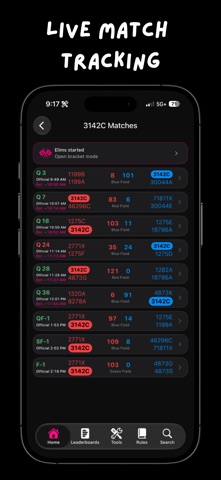
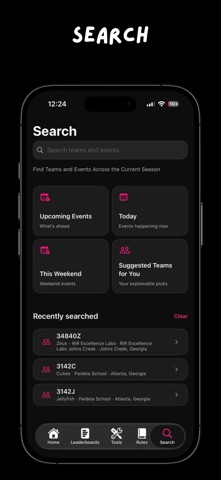
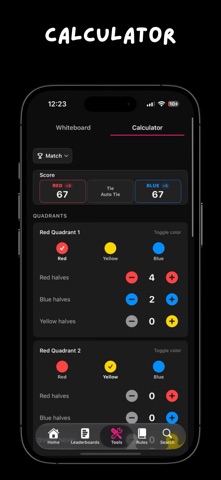
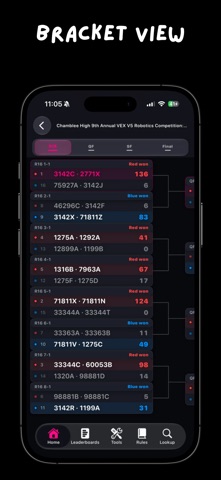
Scoutly is built for VEX V5RC teams who need the right information quickly on competition day. Search current-season teams and events, then open schedules, results, rankings, skills scores, elimination brackets, and event agendas. Follow your team's next matches from Home. Open Match Prep to compare the teams in an upcoming match, and use ScoutScore-based predictions when enough data is available. Whiteboard gives you Match and Skills field layouts for planning routes and autonomous runs. Draw on the field, add labels, zoom and pan to inspect a section, save a preferred orientation, and share the finished plan as an image. The built-in calculator, official game manual, and Q&A keep common event-day tools in one place. Watch teams, review team statistics, compare alliances, filter leaderboards, and create a Tournament Recap after an event. Contact QR cards let you share only the details you choose to enter. Scoutly uses public competition data. Schedules, rankings, team details, and predictions can be delayed or unavailable. Predictions are estimates, not official results. Scoutly marks stale or unavailable data when it can. Scoutly is made by Control Studios. It is not affiliated with, endorsed by, or sponsored by VEX Robotics, RECF, RobotEvents, or any event partner.
Latest release
What’s New
Scoutly 2.2.2 (18) makes event-day match lists faster and more accurate. You can now search an event's full match schedule by team number or name. Your Matches refreshes while the app is open, so completed matches move out and the next matches stay current. Practice matches remain visible in schedules, but they no longer affect records, win rates, rankings, predictions, ScoutScore inputs, or other competitive calculations. For current-season teams that have not competed yet, team pages can show a clearly labeled last-season ScoutScore when one is available. Rules is now focused on the official manual and Q&A, and the broken Performance Summary entry has been removed.
Audience growth
Ratings growth
Baseline captured. Growth appears after the crawler observes a changed rating count.
Momentum comes from crawler snapshots for the tracked storefront. “Viral growth signal” means unusually fast recent rating gains; it is an indicator, not download data.
Price tracking
Price intelligence
First snapshot captured. The trend line starts after the next crawler price observation.
- First observed Aug 19, 2026 · 12:37 AM Free
Screenshots