About this app
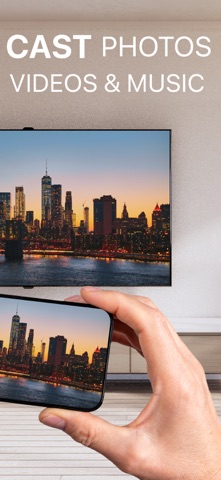
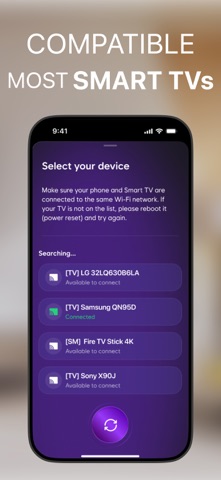
Turn Your TV into a Smart Hub with Our Powerful Screen Mirroring App! Unlock a new level of entertainment by seamlessly mirroring your phone screen to any TV with synchronized sound and high-definition quality. Whether you want to watch movies, share media, or stream online content, this app provides a smooth and immersive experience. Screen Mirroring with Audio Enjoy real-time screen sharing with crisp visuals and perfectly synced sound. Ideal for watching videos, gaming, or making presentations on a larger screen. Instant Media Sharing Easily cast photos and videos from your phone’s gallery to your TV. No cables or file transfers—just instant streaming for effortless sharing. Stream Videos from Websites Forget searching on your TV’s browser. Open any website on your phone, play a video, and cast it directly to your TV with a single tap. Live Camera Streaming Turn your smartphone into a real-time broadcasting tool by streaming your camera feed to your TV. Perfect for capturing special moments. IPTV Support – Watch Live Channels Stream TV channels directly from the app and cast them to your television with ease. Enjoy your favorite programs and sports without additional hardware. YouTube Casting – Quick and Simple Key Features: - Cast Photos and Videos: Easily project media files from your smartphone onto your TV, allowing for a more immersive viewing experience. - Wide Device Compatibility: The app supports seamless connectivity with various TV brands and devices - Real-Time Streaming: Enjoy smooth and uninterrupted streaming of your media content without noticeable delays. - User-Friendly Interface: The app is designed for easy setup and navigation, ensuring a hassle-free experience for users of all tech levels. Upgrade to Premium for Additional Benefits: - IPTV Player: Get access to diverse channels with ease - Live Camera Feature: Enable real-time viewing on a larger screen - Screen mirroring with great sound and high-quality picture - Mirroring to PC: Stream your phone screen to PC of different ratio with stunning picture.Cast YouTube videos directly from your phone to your TV without switching apps. Enjoy a seamless viewing experience with uninterrupted playback. How to Connect Your TV and Phone Setting up is quick and hassle-free. Follow these steps: 1. Make sure both your phone and TV are connected to the same WiFi network. 2. Open the app and select your TV from the available devices. 3. Choose a feature and follow the simple on-screen instructions. NOTE! All proxies or VPNs have to be turned off otherwise you'll can't connect to TV. DISCLAIMER: This application is not affiliated with nor endorsed by any aforementioned brand, and it is not an official product of it or of its affiliates. Start streaming now and enhance your TV experience with powerful wireless technology. Privacy Policy: https://ctmobikt.notion.site/privacypolicy Terms of Use: https://www.apple.com/legal/internet-services/itunes/dev/stdeula/
Latest release
What’s New
Small technical improvements and bug fixes to keep things running smoothly
Audience growth
Ratings growth
Baseline captured. Growth appears after the crawler observes a changed rating count.
Momentum comes from crawler snapshots for the tracked storefront. “Viral growth signal” means unusually fast recent rating gains; it is an indicator, not download data.
Price tracking
Price intelligence
- First observed Aug 17, 2026 · 6:05 PM Free
Screenshots