About this app
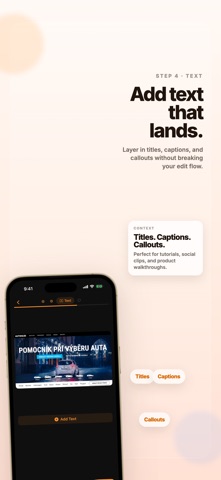
Convert your screen recordings into beautiful, shareable GIF animations in seconds. POWERFUL EDITING TOOLS • Trim — Cut your video to the perfect length • Crop — Remove unwanted areas with precision • Auto Captions — Generate editable on-device captions with multiple styles • Text Overlay — Add captions and labels anywhere on the GIF • Watermark — Brand your GIFs with text or image watermarks SMART EXPORT • Adjustable FPS, width, and color palette • Real-time file size estimation • Share directly or save to Photos • Upload to Imgur or Giphy with one tap • Copy to clipboard for instant pasting DESIGNED FOR CREATORS • Dark-themed interface that's easy on the eyes • Paste from clipboard, Photos, or Files • Works great with screen recordings and short demo videos • Fast processing — no waiting around Perfect for developers sharing bug reports, designers showcasing UI flows, educators creating tutorials, or anyone who needs to turn a video into a GIF.
Latest release
What’s New
What's new in 1.3 - Captions are now generated from the trimmed part of your clip, so exports match what you actually keep. - Added a bottom-sheet caption timing editor with a live preview that updates both the video frame and text while you retime sequences. - Transcript edits now save automatically, caption defaults are more compact, and text editing is more stable.
Audience growth
Ratings growth
Baseline captured. Growth appears after the crawler observes a changed rating count.
Momentum comes from crawler snapshots for the tracked storefront. “Viral growth signal” means unusually fast recent rating gains; it is an indicator, not download data.
Price tracking
Price intelligence
First snapshot captured. The trend line starts after the next crawler price observation.
- First observed Aug 8, 2026 · 4:18 PM Free
Screenshots