About this app
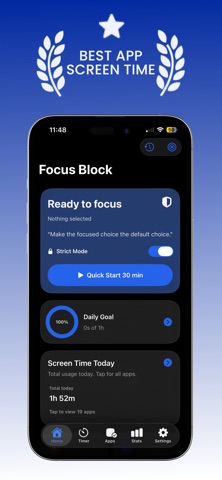
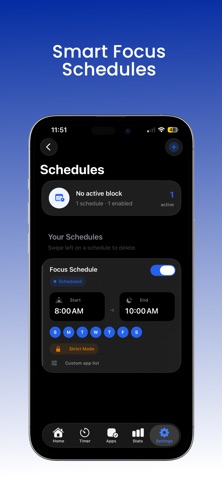
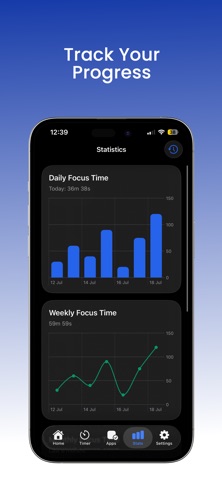
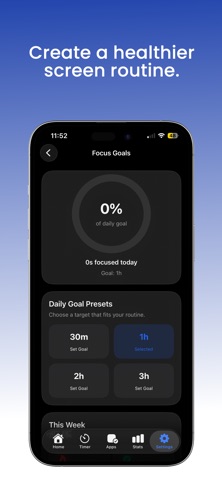
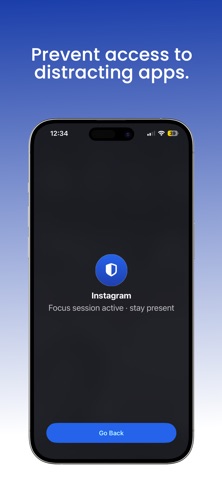
**FocusBlock — Real Focus, Not Just Good Intentions** You don't need another app that hopes you'll behave. You need one that actually blocks the apps pulling you away from what matters — and then gets out of your way. FocusBlock uses Apple's own Screen Time and Family Controls frameworks to lock distracting apps, categories, and websites during the sessions you set. No login. No account. No backend server anywhere. Everything — your schedules, your stats, your streaks — stays on your device. **Why FocusBlock is different** Most focus apps fall into two camps: gamified apps that feel fun for a week and then get ignored, or friction apps that just slow you down for a few seconds before you scroll anyway. FocusBlock gives you both a gentle option and a real one: - Start a session with one tap, or build a recurring schedule for Study, Work, Sleep, or Morning routines - Block specific apps, entire categories, or distracting websites in Safari - Whitelist the apps you actually need — calls, messages, docs — so blocking never gets in the way of real work - Turn on **Strict Mode** when you know future-you will try to bail early - Use **Emergency Unlock** for genuine emergencies, without making it the easy button for every other moment **Built for how you actually focus** - Pomodoro timer and Deep Work mode for sustained sessions - Custom and recurring schedules that run automatically - Break reminders and focus reminders that nudge without nagging - Home Screen and Lock Screen widgets, Live Activities, and Shortcuts integration - Apple Watch support so you can check a session without touching your phone **See your progress, not just your screen time** Daily, weekly, and monthly reports show real patterns — not just a number, but where your time actually goes. Build focus streaks, track goals, and watch a productivity score that reflects effort, not gamified busywork. **Who it's for** Students cramming for exams. Remote workers guarding deep work blocks. Parents setting healthy limits for the family. Anyone who's tried to quit doomscrolling with willpower alone and needs a system that holds when willpower doesn't. **Privacy, actually** No account creation. No data collection. No servers. Your Screen Time data belongs to your device — that's not a slogan, it's the architecture. **One fair price** No surprise trial-to-subscription conversion. No feature-creep paywalls added after you've already paid. Just a tool that does what it says. Download FocusBlock and start your first focus session in under a minute. Privacy Policy:- https://www.freeprivacypolicy.com/live/de501fa3-782a-48dd-b33f-83d8bc220c5c Terms of use:- https://www.privacypolicies.com/live/ec0062f6-bde6-4a8d-b665-9df7cf6f5d6e Feel free to adjust the text according to any additional features or specific highlights you want to promote. Please email us at help.app007@gmail.com.
Latest release
What’s New
UI Improvement and Bug Fix
Audience growth
Ratings growth
Baseline captured. Growth appears after the crawler observes a changed rating count.
Momentum comes from crawler snapshots for the tracked storefront. “Viral growth signal” means unusually fast recent rating gains; it is an indicator, not download data.
Price tracking
Price intelligence
First snapshot captured. The trend line starts after the next crawler price observation.
- First observed Aug 10, 2026 · 8:20 AM Free
Screenshots