About this app
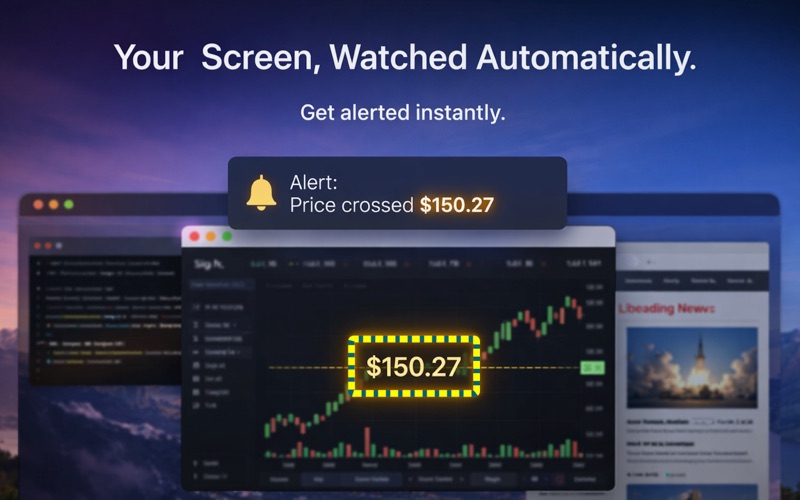
Turn any part of your screen into a smart alert system. Select one area — or many — and ScreenAlert reads each one with advanced OCR and notifies you the moment it changes. No integrations. No APIs. Works with any app, any window, any content. USE CASES •Track stock prices or crypto values — get alerted when targets are hit •Monitor builds, logs, or dashboards — react instantly to changes •Follow live scores, auctions, or countdowns — never miss critical moments •Watch apps that don't support notifications — make anything "alertable" •Keep an eye on several things at once — each alert runs independently KEY FEATURES OCR Screen Reader •Select any screen area and extract text instantly •Read text aloud with natural macOS voices •Copy recognized text to clipboard •Works across multiple monitors •Optional continuous auto-reading Multiple Simultaneous Alerts •Run as many alerts as you need at the same time •Each alert has its own color, name, region, and trigger •Menu bar shows a live count of active alerts •One-click Stop on every alert — or stop them all at once •Auto-named "Alert 1, 2, 3…" with smart slot reuse Smart Alerts (7 Trigger Types) •Text changed •Text equals / does not equal •Number equals / greater / less than •Image change detection (adjustable sensitivity) Actions when triggered: •Speak text aloud •Play alert sound •Run any macOS Shortcut (powerful automation) Floating Preview Panels (Picture-in-Picture) •Optionally flash the captured area in a small floating panel each time an alert fires •Multiple previews stack neatly at the corner of your choice •Slide off to the screen edge when they auto-hide •Hover an alert in the menu to peek at its last capture •Configurable position, size, and auto-hide delay On-Screen Controls •A colored name pill floats above each watched region •Built-in Stop (×) button — end an alert without ever opening the menu •Distinct color per alert makes overlapping regions easy to tell apart Window Tracking •Lock monitoring to a specific app window •Automatically follows movement or backgrounding •Persistent visual tracking indicator Text Processing Engine •Clean and normalize captured text before evaluation •Remove unwanted characters, spaces, emojis, non-ASCII •Trim text using rules or keywords •Live preview of processed output Reading History & Export •Automatic log of all captured readings •Search and review past entries •Export to CSV for analysis •Stores up to 1,000 recent records Fully Customizable •Multiple languages and voice options •Adjustable scan interval •Control alert duration and behavior •Optional screenshot sound toggle •Launch at login BUILT FOR macOS •Native, lightweight menu bar app (no Dock clutter) •Powered by Apple Vision for fast, accurate OCR •Works seamlessly with macOS Shortcuts •Privacy-first: no cloud, no tracking, no data leaves your Mac •One-time purchase — no subscriptions
Latest release
What’s New
• Run multiple alerts at once. Set up as many Screen Alerts as you need — each watches its own region with its own trigger, sound, and color. The menu bar shows a live count, and every active alert has its own row with a one-click Stop. • Floating preview panels. Optionally show a small picture-in-picture panel that flashes the captured area whenever an alert fires, then slides off to the edge. Pick the corner, size, and auto-hide delay in Settings. Hover an alert in the menu to peek at its last capture. • On-screen stop button. Every watched region gets a colored name pill with a built-in × — stop an alert without ever opening the menu.
Audience growth
Ratings growth
Baseline captured. Growth appears after the crawler observes a changed rating count.
Momentum comes from crawler snapshots for the tracked storefront. “Viral growth signal” means unusually fast recent rating gains; it is an indicator, not download data.
Price tracking
Price intelligence
First snapshot captured. The trend line starts after the next crawler price observation.
- First observed Aug 7, 2026 · 10:58 PM $4.99
Screenshots