About this app
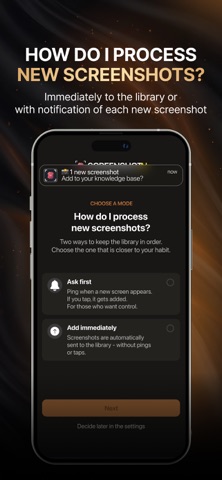
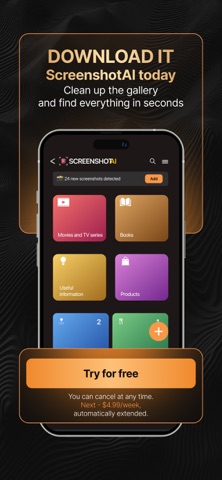
Turn 5,000 screenshots into a searchable library. Screenshot AI uses on-device AI to read, tag, and organize every screenshot — recipes, memes, receipts, ideas — so you can find anything in seconds. No more endless scrolling. Is your gallery overflowing with screenshots? Can't find that recipe or idea without endless scrolling? Screenshot AI is your personal AI assistant that transforms your chaotic gallery into a structured, searchable knowledge base. Instantly find anything you've saved with smart search and convenient filters. How it works? 1) Add your screenshots: simply upload your images — the AI instantly recognizes the text and automatically assigns tags and categories. 2) Find anything in seconds: forget manual searching. Just type a word, a phrase, or select a tag to get the exact result you need. 3) Enjoy the order: all your recipes, quotes, and ideas are organized into collections thanks to smart automatic sorting. Key Features: - An AI assistant in your pocket: our core is advanced artificial intelligence. It doesn't just recognize text; it understands the context of your content to accurately identify categories (recipe, quote, idea) and assign relevant tags. - Effortless advanced search: combine any search parameters. Search by date, tags, categories, or words within the text. - Your personal knowledge base: the app creates a single, structured space for all the important information you save. It's smarter and faster than any photo gallery or notes app.
Latest release
What’s New
Under-the-hood update. The app now loads part of its setup at launch, so we can ship certain fixes without waiting for an App Store update. Stability and reliability improvements.
Audience growth
Ratings growth
Baseline captured. Growth appears after the crawler observes a changed rating count.
Momentum comes from crawler snapshots for the tracked storefront. “Viral growth signal” means unusually fast recent rating gains; it is an indicator, not download data.
Price tracking
Price intelligence
First snapshot captured. The trend line starts after the next crawler price observation.
- First observed Aug 18, 2026 · 3:37 PM Free
Screenshots